Adding a Node Definition
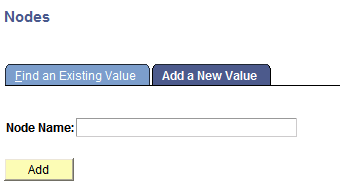
Use the Nodes – Add a New Value page to add a node to the system.
This example illustrates the Nodes – Add a New Value page.
Note:
The name you specify for a remote node must be the same as the name it specifies for itself.
To add a node:
-
Select .
-
Click the Add a New Value tab.
-
In the Node Name field, enter a name for the node, keeping in mind that node names must begin with a character and may contain up to 30 characters.
-
Click the Add button to define the node.
The Node Definitions tab displays.