Configuring Load Balancing on Integration Gateways When Using Third-Party Software
To configure gateways participating in load balancing, you must specify the URLs of the gateways in use for load balancing on the Gateways page, and then set integration gateway properties for each gateway you specify. Note that you can set different properties for each gateway.
To access the Gateways page, select . Select the default local gateway.
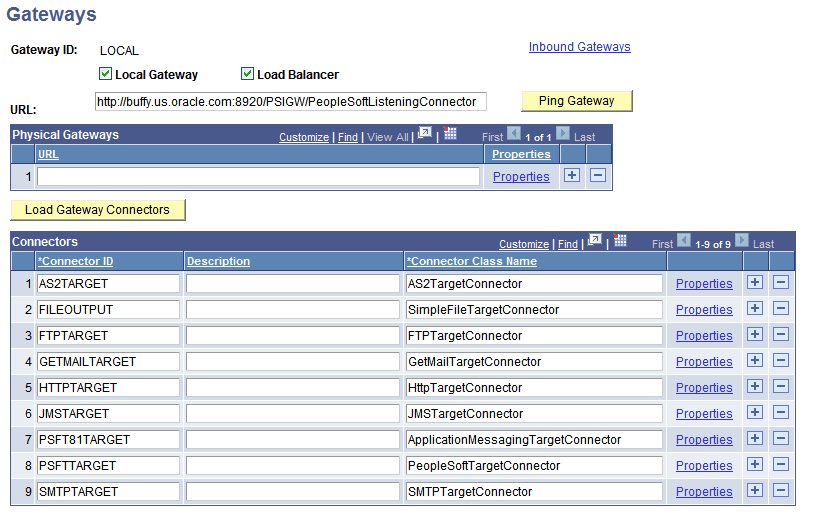
This example illustrates the Gateways page. In this example, load balancing is enabled, as indicated by the check in the Load Balancer box.
To configure an integration gateway for load balancing:
-
Access the Gateways page (.
-
Select the default local gateway.
-
Select the Load Balancer box.
-
In the Physical Gateway section, in the URL field, enter a gateway URL for a gateway that will be used for load balancing.
-
Click the plus (+) button and enter gateway URLs for each additional gateway to be used for load balancing.
-
Click the Save button.
-
For each gateway URL entered, click the Properties link to set integration gateway properties for that gateway.