Monitoring Integration Network Domain Status
Use the Domain Status page (IB_INTNET_DOMSTAT) to monitor the status of the domain for the node selected in the Network Node List. To access this page, select and click the Domain Status tab.
This example illustrates the Network Monitor – Domain Status page. Use this page to activate domains in the network.
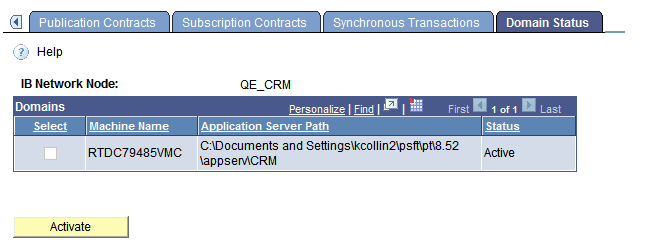
Use the page to activate the domain of the selected node in the Network Node List, as necessary.
To activate a network node:
-
Access the Domain Status page ( and click the Domain Status tab).
The Network Monitor – Monitor Overview page appears.
-
In the Network Node List, select a node.
-
Click the Domain Status tab.
-
In the Domains grid, select the domain to activate.
-
Click the Activate button.