Associating Service Operations to Custom-Defined Components
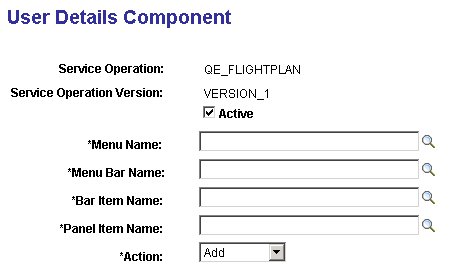
Use the User Details Component page (PSIBUSERCOMP) to associate a service operation to a custom-defined component.
This example illustrates the fields and controls on the User Details Component page. You can find definitions for the fields and controls later on this page.
| Field or Control | Description |
|---|---|
|
Active |
Indicates if the component is active. Clear the box to inactivate the component. By default the component is active. |
|
Menu Name |
From the drop-down list select the menu name where the page is located. |
|
Menu Bar Name |
From the drop-down list select the menu bar name where the page is located. |
|
Bar Item Name |
From the drop-down list select the bar item name. |
|
Panel Item Name |
From the drop-down list select the page name. |
|
Action |
From the drop-down list select the action for the page. The valid values are:
|