Executing Request
When you close the URI Template Builder page, the main tester page showing the fully qualified URL for this specific test is displayed.
Note:
The URL is properly encoded using the values defined in the tree.
Click the Execute Request button to run the test.
This example illustrates the Application Service Tester results.
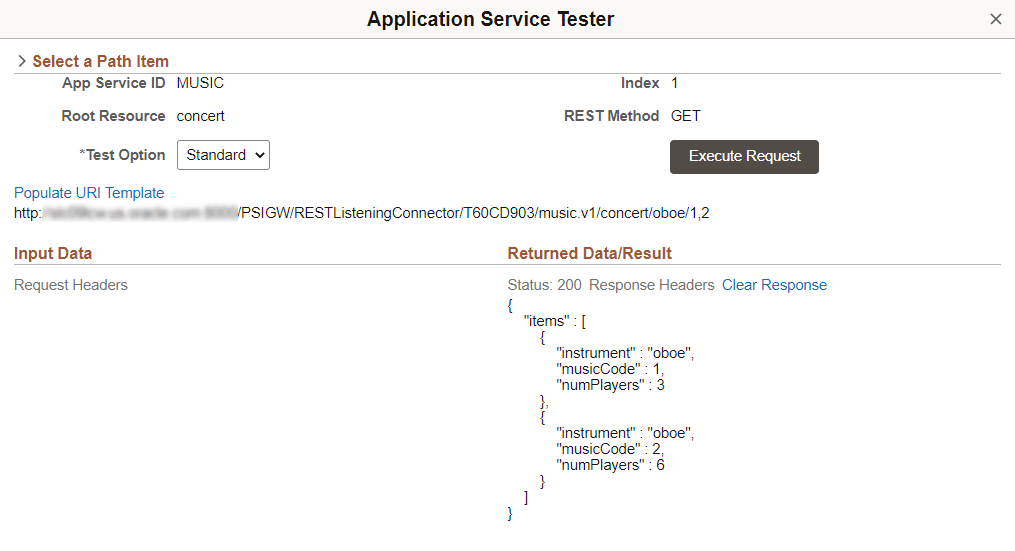
The output data in standard JSON format is displayed on the right hand side of the page. The Response status code is displayed. The Response Header link is enabled and if selected will show all the response headers populated for this particular request. The result data along with the status code and response headers can be cleared by selecting the Clear Response link.