Integration Point Data Repository
PeopleSoft Integration Broker builds the following integration point test data repository structure during the export process.
You specify the top-level directory for the repository in the integration gateway properties file using the ig.EIPInputDirectory property.
WARNING:
Do not alter this directory structure. This structure is required for outbound playback. If you alter this structure, PeopleSoft Integration Broker cannot locate response files.
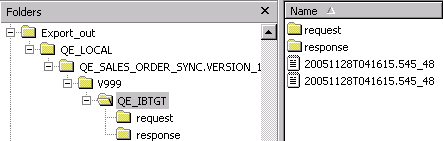
This example shows the integration point test data repository structure that the system builds during the export process.
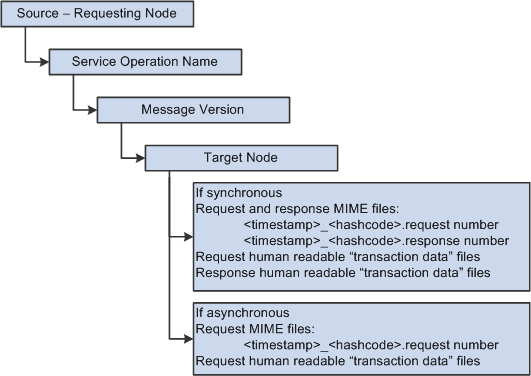
In a Microsoft Windows environment, each of the box in the previous diagram would correspond to folders in Microsoft Windows Explorer.
The following graphic shows what the structure might look like in Microsoft Windows Explorer using actual data.