Deleting Deprecated PeopleCode Handlers
Use the Service Administration – Deprecated PeopleCode page (IB_HOME_PAGE8) to delete deprecated PeopleCode and its associated handler(s).
To access the page select and click the Deprecated PeopleCode tab.
This example illustrates the Service Administration – Deprecated PeopleCode page.
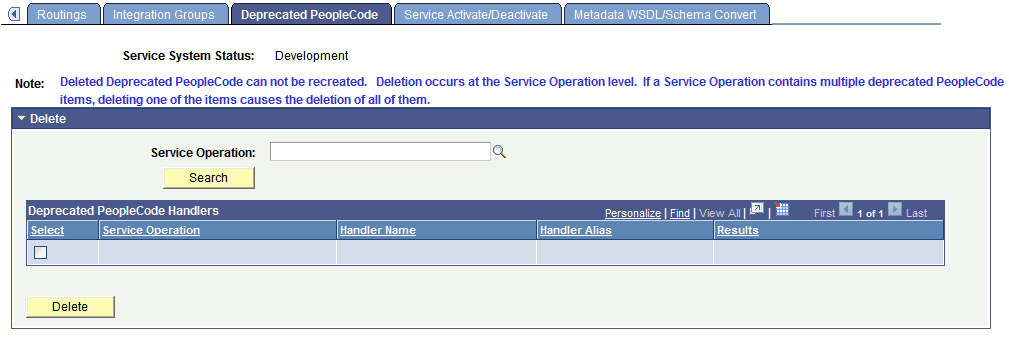
The page enables you to delete the PeopleCode that was assigned to the Pre-PeopleTools 8.48 subscription, along with the (deprecated) handler that was created to invoke the PeopleCode.
WARNING:
Deleted deprecated PeopleCode cannot be recreated.
To delete a deprecated PeopleCode handler:
-
Access the Service Administration – Deprecated PeopleCode page ( and click the Deprecated PeopleCode tab).
-
In the Service Operation field, enter the name of the service operation that contains the deprecated PeopleCode handler, or click the Lookup button to search for one.
-
Click the Search button.
The search results appear in the Deprecated PeopleCode Handler grid.
-
Select the Select check box next to the handler to delete.
-
Click the Delete button.