Enabling Transactional Rollback
The Bulk Load Handler page (IB_SERVICEHDL5_SEC) features a Rollback Non-Destructive Load option that you can set to enable transaction rollback.
This example illustrates the Bulk Load Handler page. The example shows the page when the service operation contains a nonrowset-based message.
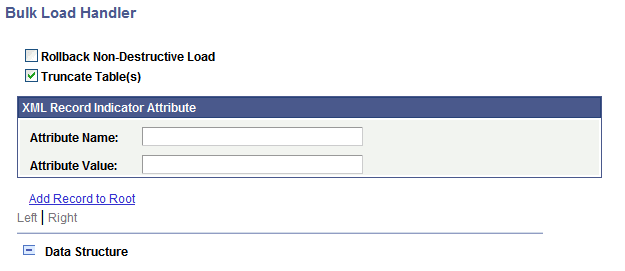
The previous example shows the Bulk Load Handler page that displays when the service operation contains a nonrowset-based message.
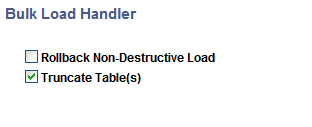
If the service operation contains a rowset-based message, the page does not display the XML attribute fields or the data tree structure controls.
This example illustrates the Bulk Load Handler page. The example shows the page when the service operation contains a rowset-based message.
Note:
Transactional rollback is not supported if message segments are used. Transactional rollback will automatically be disabled if the message being processed contains more then one message segment.
To enable rollback processing:
-
On the Service Operations – Handlers tab, in the Handlers section, click the Details link.
The Bulk Load Handler page appears.
-
Select the Rollback Non-Destructive Load check box.
The Rollback Size field appears.
-
In the Rollback Size field, enter a rollback size value, in kilobytes.
The amount of data that you can rollback is depends on your database.
The default is 32.
WARNING:
Before you specify a rollback size value, verify the rollback size configured for your database. If the rollback size value specified in the PeopleSoft Pure Internet Architecture is greater then the transactional rollback size configured on the database, then transactional rollback will be disabled for that particular transaction, thereby causing destructive load processing to take place. To avoid destructive load processing, modify the rollback size configured for your database so that it is greater than the value you specify on the Bulk Load Handler page.
-
Click the Save button.