Initiating Inbound Flat File Processing
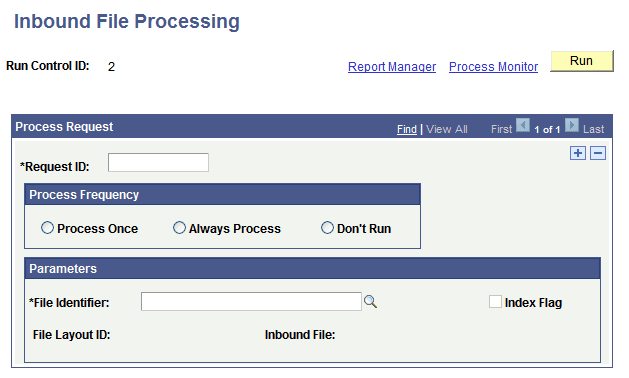
Use the Inbound File Processing page (PSIBFILERUNCNTL) to initiate flat file processing. Select .
This example illustrates the fields and controls on the Inbound File Processing page. You can find definitions for the fields and controls later on this page.
| Field or Control | Description |
|---|---|
|
Request ID |
Enter a unique identifier to track the request. |
|
Process Frequency |
Select the frequency for processing the file. The options are:
|
|
File Identifier |
Select or enter the name of the file identifier that you set up in the Inbound File Loader Rules. page. The file identifier is tied to the publish rules. |
|
Index Flag |
A read-only field that indicates if the file being processed is an index file or a data file. When checked, the Inbound File Loader utility is processing an index file. |
|
File Layout ID |
A read-only field that displays the file layout ID associated with the file in the Inbound File Loader Rules page. |
|
Inbound File |
A read-only field that displays the name of the file being processed. |