Step 1: Select Services
The first step is to search for and select the services that contain the service operations to include the OpenAPI documents that you generate. To access the page select
To access the page select
This example illustrates the Select Services page with REST Service selected.
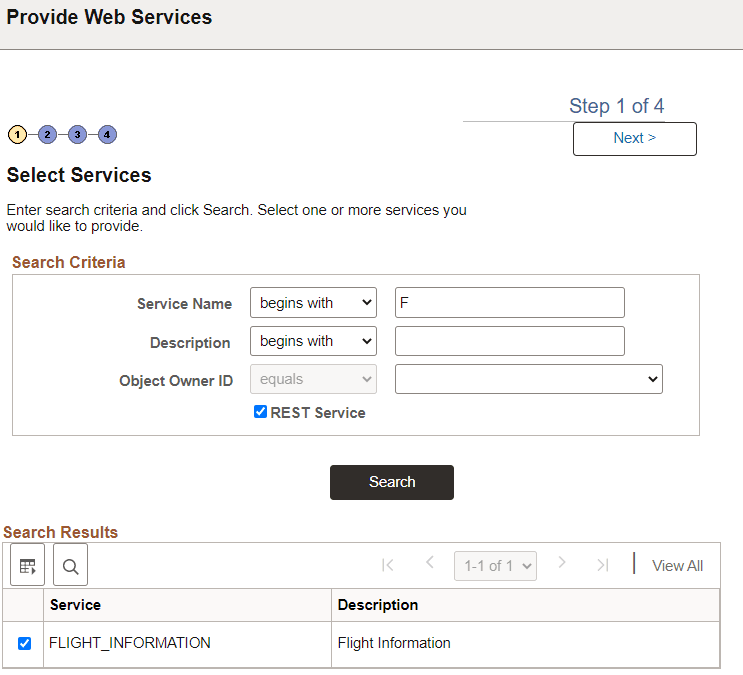
You can search by the full or partial service name and service description. You can also search by object owner ID, if one is defined for the service. You can enter one or more of these criteria when performing your search.
| Field or Control | Description |
|---|---|
|
Service Name |
Enter a full or partial service name. |
|
Description |
Enter the full or partial description of the service. |
|
Object Owner ID |
Select the object owner of the service to provide. |
|
REST Service |
Make sure this box is selected for a REST Service. |
Click the Search button.
Select the check box next to each name of the services to provide.
Click the Next button to proceed to the next step in the wizard, selecting service operations.