Checking Integrity
To run the integrity check on your project in the source database:
-
Select
-
Open the project.
The project status must be Created or Check integrity succeeded.
-
Click Check Integrity.
-
Select the data sets to check and click Run.
-
On the Process Scheduler Request page click OK.
-
Click OK to return to the Project Definition page.
-
Use the Refresh button to check the progress of the copy.
-
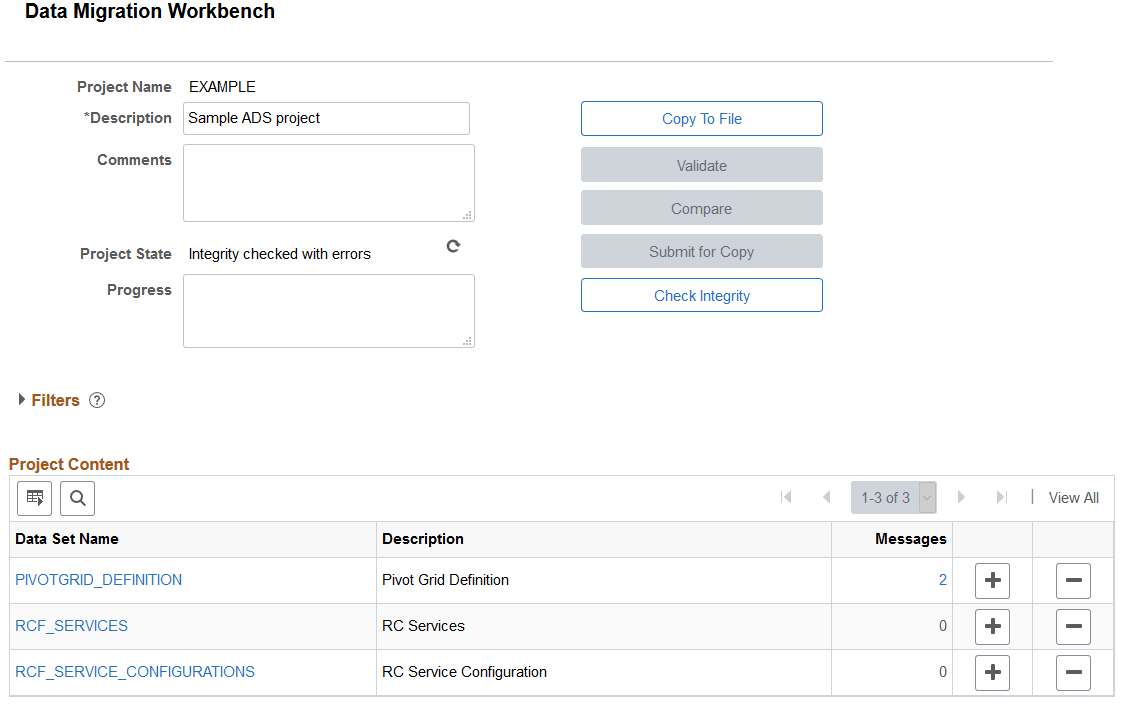
When the check integrity report succeeds, the message count for each data set is displayed in the project content grid.
-
To view only errors and warnings, use the Message Type filter.
This example illustrates the fields and controls on the Check Database Integrity results. The 2 in the message column indicates that integrity errors exist..
For information on viewing the validation reports see Viewing Validation Reports.