Compare Report Details
Use the CompareReports page to review the changes and update or change the Upgrade action. Click the Details icon for the data set instance.
This example illustrates the fields and controls on the Compare Report Details page. You can find definitions for the fields and controls later on this page.
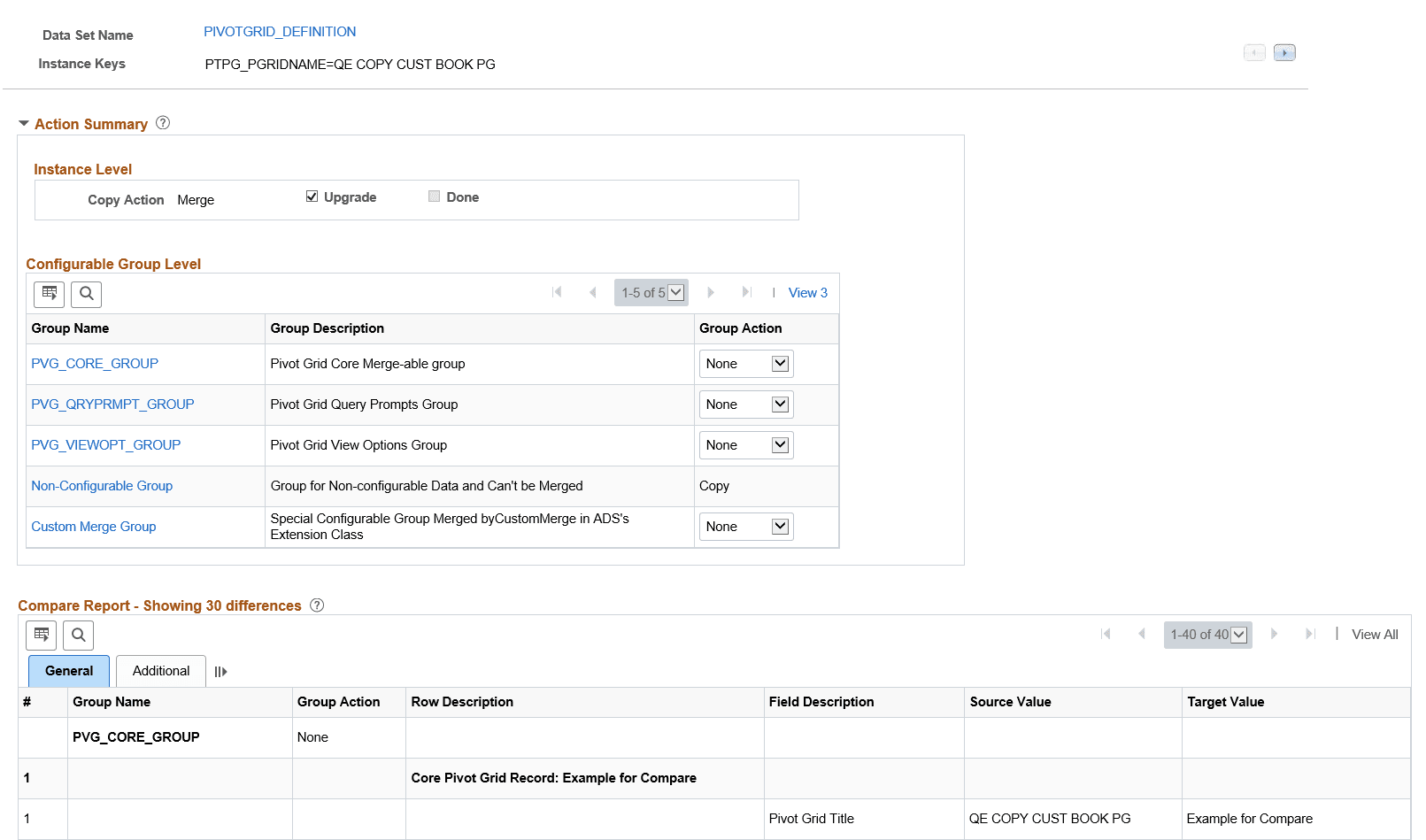
Action Summary
Action Summary displays Instance Level and Configurable Group Level.
-
Instance Level — The current data set instance is displayed with the copy action and copy status. The copy action is display only and derived from the Group Actions selected in the Configurable Group Level. You can select whether or not to perform the upgrade.
-
Configurable Group Level
-
Group action in a specific configurable group can be None or Copy.
-
Group action for “Non-Configurable Group” is Copy and can not be changed.
-
If group actions for all configurable groups are changed to Copy, the instance level action status will be Copy.
-
“Custom Merge Group” is a special configurable group that uses CustomMerge in the ADS’s extension class. The action change for “Custom Merge Group” will impact the instance level action. Once the group action is changed from None to Copy, the instance level action will be Copy. All other configurable groups will also be set to Copy.
-
Compare Report Grid
The compare report details for the data instance are displayed in the Compare Report grid. Click the Group Name in the Action Summary, Configurable Group Level to display the details for the group.
| Field or Control | Description |
|---|---|
|
# |
The number for the record. Each field on the record will be assigned the number of the record with a decimal value for the field. |
|
Group Name |
Description of the record. |
|
Group Action |
Group action will be:
Note: The group action can be changed in the Configurable Group Level. |
|
Row Description |
Description of the row. |
|
Field Description |
Description of the field. |
|
Source Value |
Displays the value on the source. This is the value in the project file that was loaded for this data set instance. |
|
Current Target Value |
Displays the current value in the target database. |
Compare Report Addition page
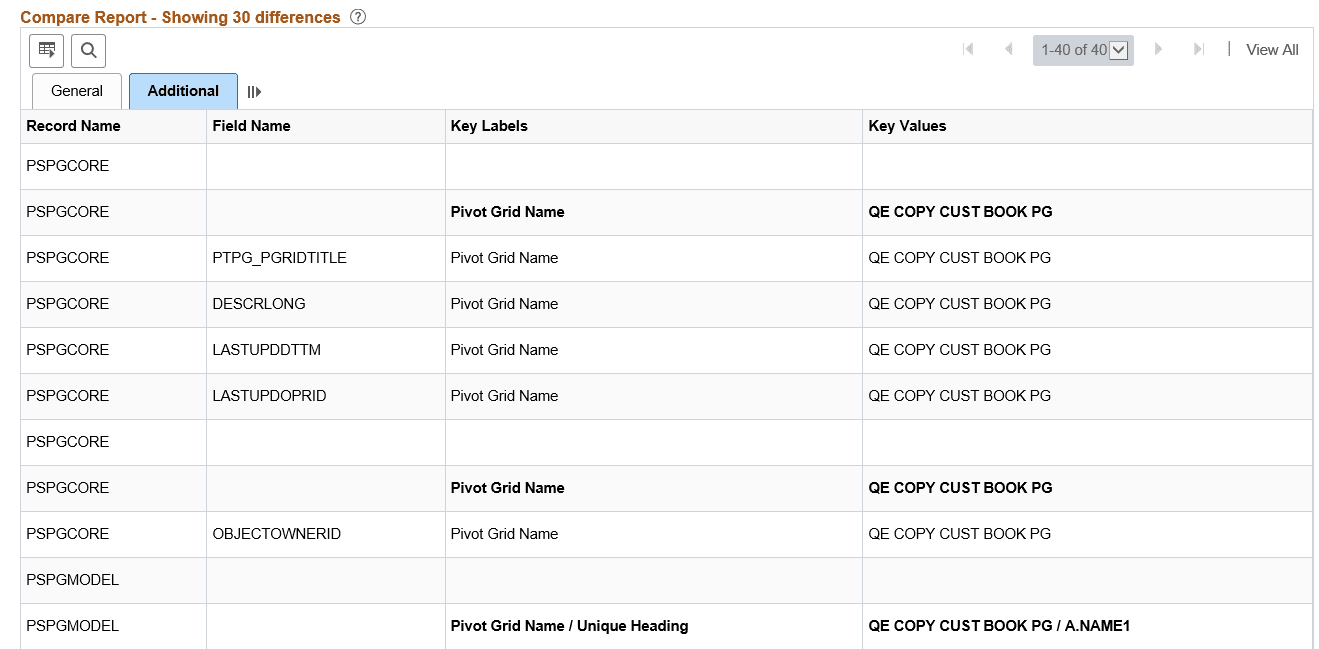
This example illustrates the fields and controls on the Compare Report Addition page. You can find definitions for the fields and controls later on this page.
| Field or Control | Description |
|---|---|
|
Record Name |
Displays the record name. |
|
Field Name |
Displays the field name. |
|
Key Labels |
Displays the key names. |
|
Key Value |
Displays the key value. |
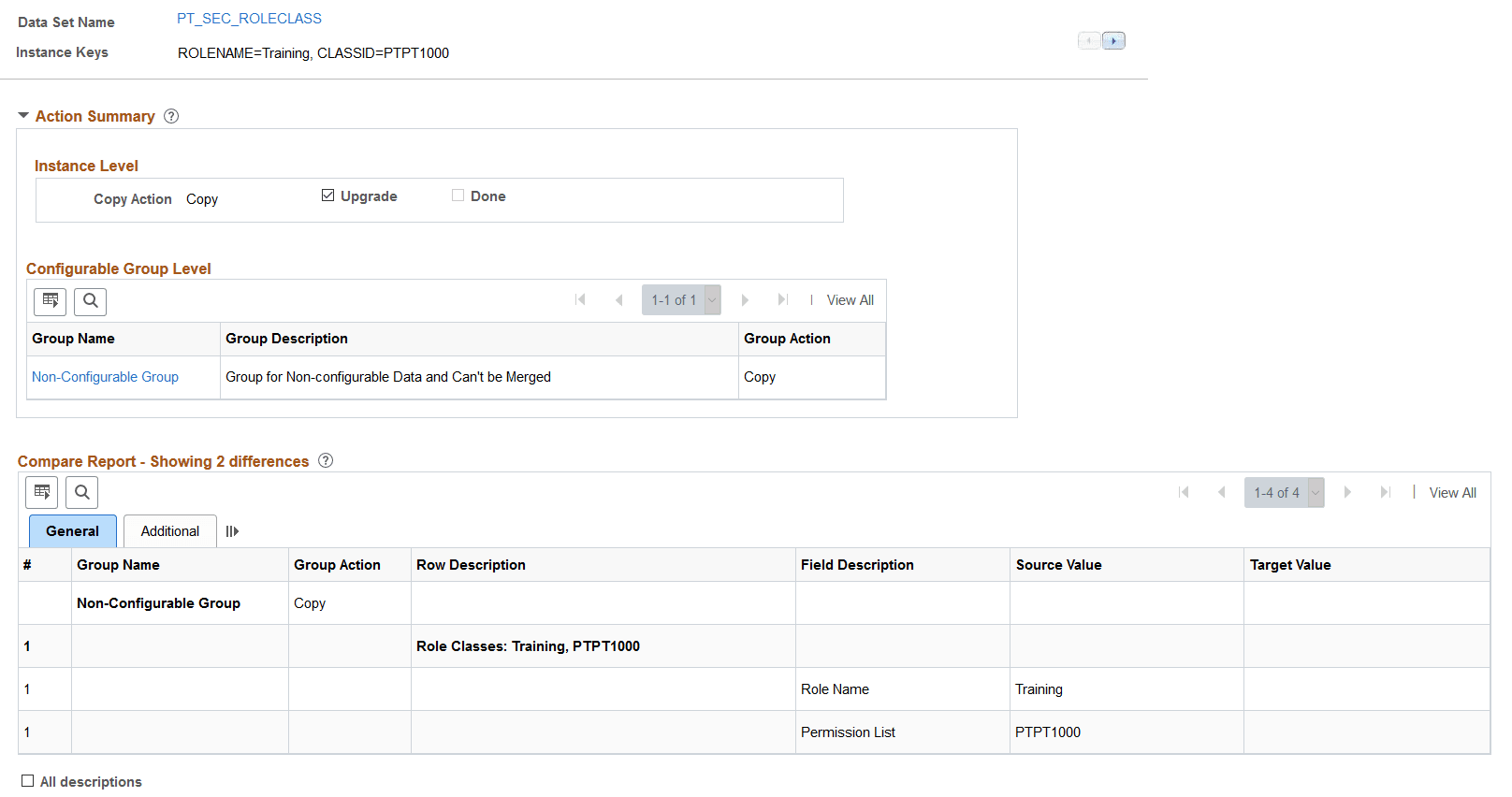
Compare Report for Data Sets without Groups
If the data set does not contain groups, the Configurable Group level will only contain the Non-Configurable Group.
This example illustrates the fields and controls on the Compare Report details for data set without groups.