Creating Projects Using the Command Line
Use the same command line syntax as identified previously to build a project.
See Understanding PeopleSoft Application Designer Command Line Parameters.
Use the command line statement for the project create to:
-
Connect the project to the source database.
-
Indicate the object types to include in the project.
Note:
Projects created using -PJR are limited to object types and will include all instances of the object type specified. You can include multiple object types separated by comma. To create a project that includes all object types use ALL.
Example
For this example, assume that the:
-
Project name is CREATETEST.
-
Database type is Oracle.
-
Database name is T1B85401.
-
User ID is PTTRN.
-
The object types are 79,80,81,82.
-
If there is an existing project with the same name it will be overwritten.
-
Path name of the log file is c:\temp\out\CreateTest.log.
For this example, you would enter the following at the command line:
pside.exe -CT ORACLE -CS -CD T1B85401 -CO PTTRN -CP password -CI people -CW password -PJR CREATETEST -OBJ 79,80,81,82 -OVW 1 -LF c:\temp\out\CreateTest.log -HIDE -QUIET -SS NO -SN NO
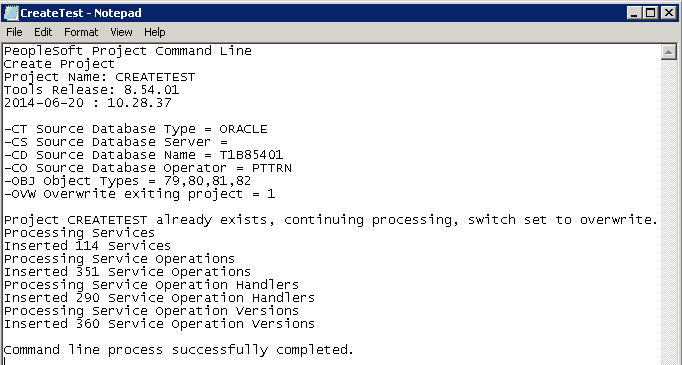
This is an example of the log file created for this command line.
This example illustrates the fields and controls on the Example of log for creating a project.