Generating SQR Reports from the Isolated Customization Reports Page
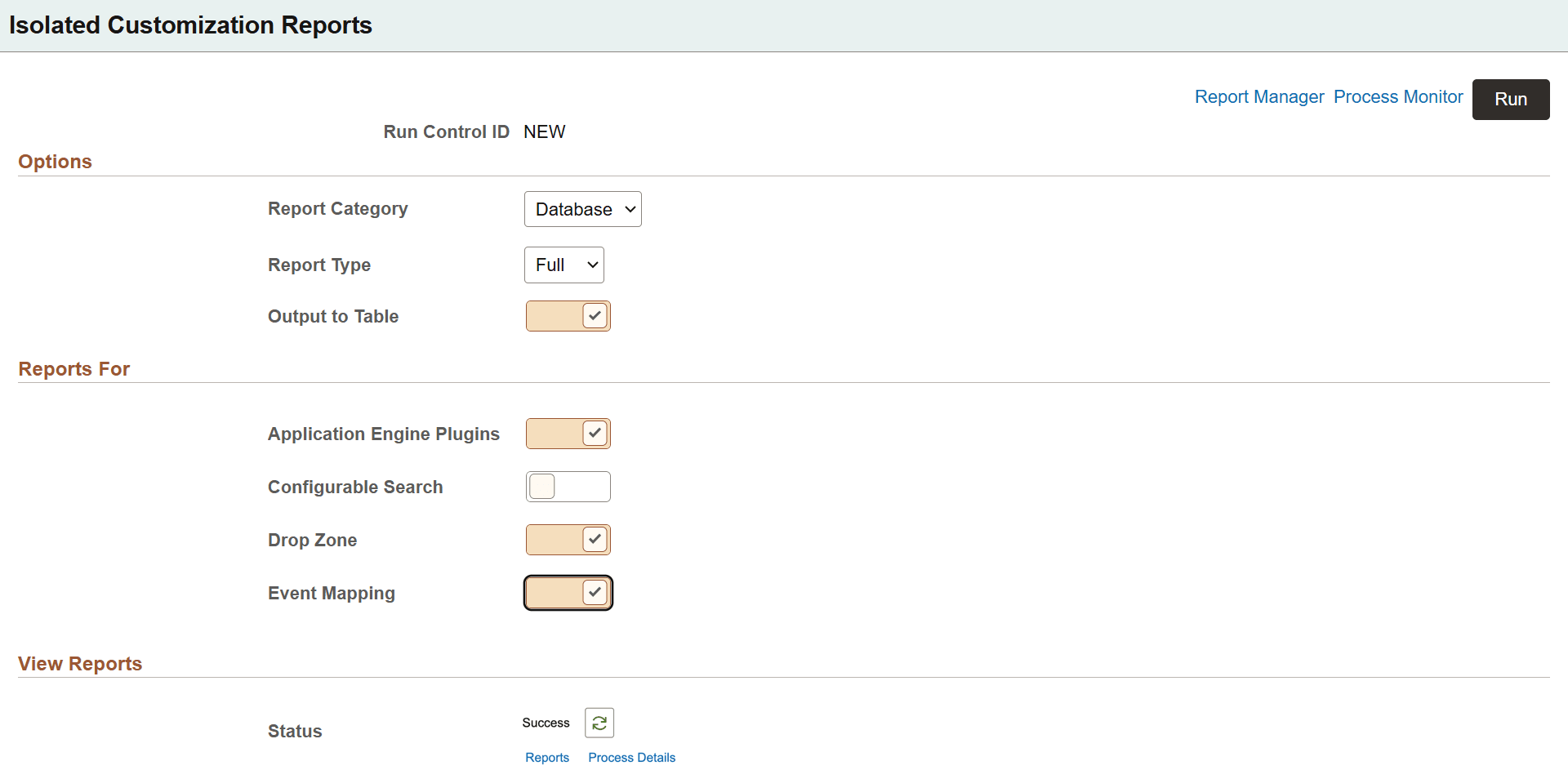
Use this page to generate SQR reports to capture details on configurations done using drop zones, event mapping, Application Engine plug-ins, and configurable search.
Navigate to PeopleTools, Lifecycle Tools, Isolated
Customization Reports.
This example illustrates the fields and controls on the Isolated Customization Reports page. You can find definitions for the fields and controls later on this page.
| Field or Control | Description |
|---|---|
|
Report Category |
The two options are:
|
|
Report Type |
The options are Filter or Full. Full- Generates a full database report or project report that includes all objects, including both PeopleSoft-delivered and customized objects. Filter- Generates a filtered report that includes only customized or non-PeopleSoft-delivered objects, where LASTUPDOPRID <> PPLSOFT. These options correspond to the FULL and FILTER override options described in the preceding Generating SQR Reports from Process Scheduler section. |
|
Output to Table |
Select this option to add Managed Object list and ADS instances list to the PS_PTADSUMMOL table and PS_PTADSUMAOL table respectively. |
|
Reports For |
Select the options to generate reports on Drop Zones, Event Mapping, Application Engine Plug-ins, and configurable search. |
|
View Reports |
After running the SQR program with the PTISOCUSTRPT Application Engine program, you can view the status. If it is success, you can see a Reports link to view the report in PDF or other supported formats. Click the Process Details link to view the details. If the program fails, click on the Process Instance link for further troubleshooting. |
After selecting the required options, click Run. The Process Scheduler Request page opens where you run the PTISOCUSTRPT Application Engine program.
This example illustrates the fields and controls on the Process Scheduler Request page.
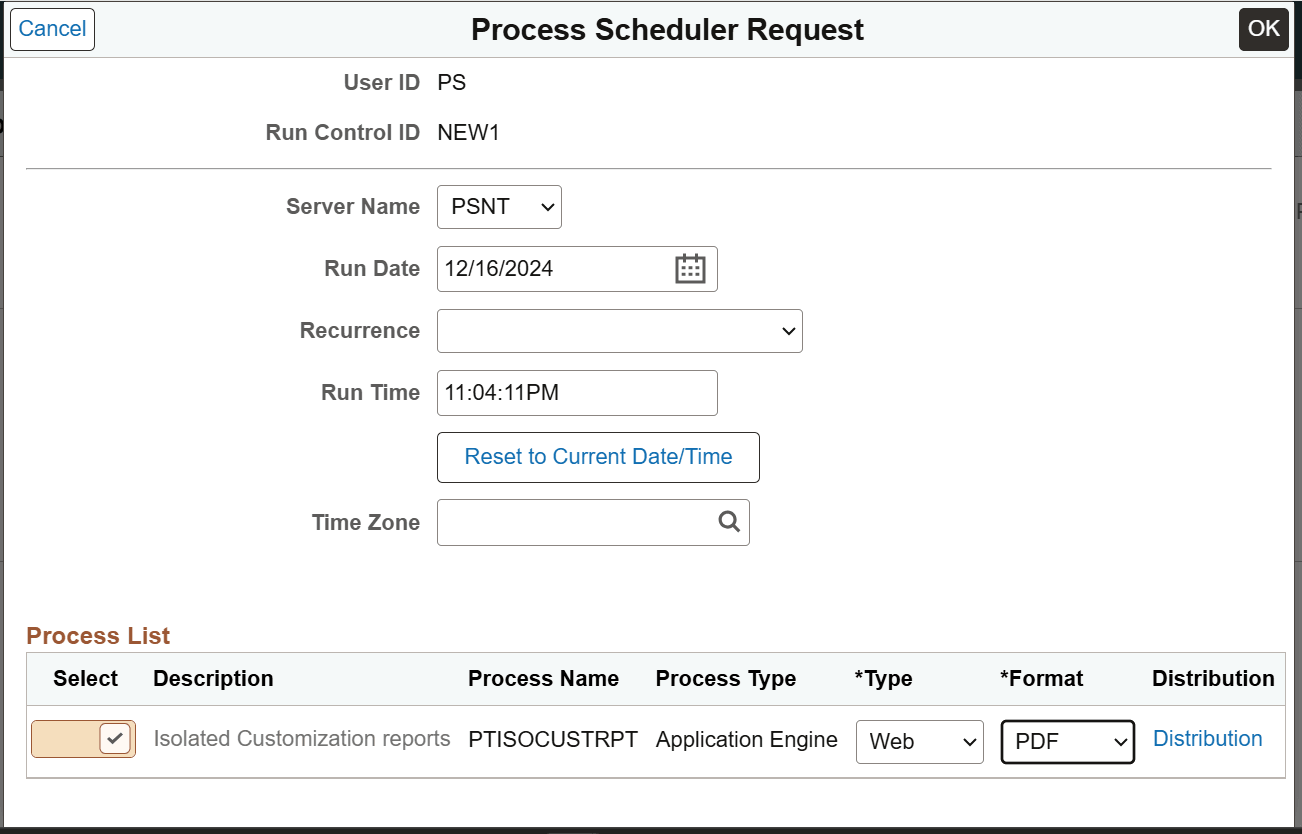
When PTISOCUSTRPT runs, the selected SQR programs gets scheduled on the Process Scheduler.
The report can be generated only in HTM or PDF format.
Note that only data pertaining to the latest run is maintained. When an SQR program is run, the previous data gets overwritten.
Same SQR report generated by multiple users is maintained in the Managed Object list table PS_PTADSUMMOL and ADS instances list table PS_PTADSUMAOL, along with the user ID, to avoid conflicts.
For example, configurable search report generated by two users QEDMO and VP1 will be maintained in the database table. When VP1 generates the configurable search report again, then the previous data gets overwritten. However, the configurable search report generated by QEDMO remains.