Selecting Custom View Settings
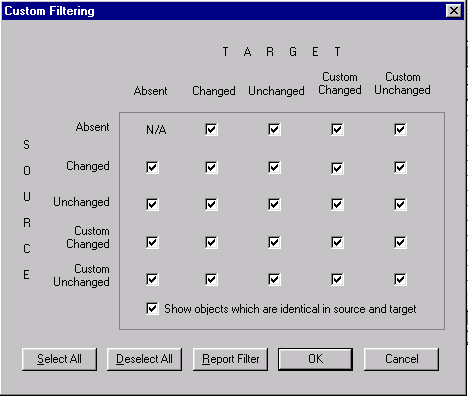
Select to access the Custom Filtering dialog box, which includes a matrix that is similar to that found on the Report Filters tab in the Project Properties dialog box.
Custom Filtering
Select the definition status combinations to display in the upgrade definition window.
The following is a screenshot of selecting Custom view settings in the Custom Filtering dialog box. You can find definitions for the fields and controls later on this page.
| Field or Control | Description |
|---|---|
|
Report Filter |
Click to set these options to be the same as your settings on the Report Filter tab in the Project Properties dialog box. |
|
Show objects which are identical in source and target |
Select to display definitions with a status combination of Same and Same. This status combination is possible only if you performed a project comparison and if definitions in the project were defined the same way in the source and target. You can never have a Same and Same status combination for definition types on which you performed a database comparison. |