Setting up the Approval Process for Data Migration
To set up approval process definitions, use the Setup Process Definitions component.
Business analysts use this component to define an approval process definition. The process is made up of stages and their paths and steps. The approval steps that you place on the approval path represent the approval levels that are required for a transaction.
| Approval Flow | Description |
|---|---|
|
Stage |
A stage is one part of an approval process that can contain multiple paths. The system executes stages in sequence where one must complete the stage before the next one begins. A stage can be at the header or line level. For Data Migration only the header level is used. |
|
Path |
A path contains a sequence of steps. Within a stage, paths execute in parallel. Path entry criteria determines whether or not a path executes for a given transaction. |
|
Step |
A step represents one or more approvers or reviewers. Steps within a path execute in sequence. Separate criteria for each step determines whether or not that step executes. Each step can also have a set of reviewers. |
Typical approval processes for Data Migration might include:
-
Supervisor or Manager to review data that will be copied to the database.
-
Manager to approve the data migration before it is copied to the database.
-
Two different approvers for each step, where both approvers at a step must approve the request for it to advance to the next step.
Example Approval Process Definition
This section provides an example of how to set up an approval process definition for a transaction that is specific to MigrateData.
To set up the approval process definition:
-
Select .
-
Select ProcessID MigrateData.
This example illustrates the fields and controls on the Set Up Process Definition page. You can find definitions for the fields and controls later on this page.
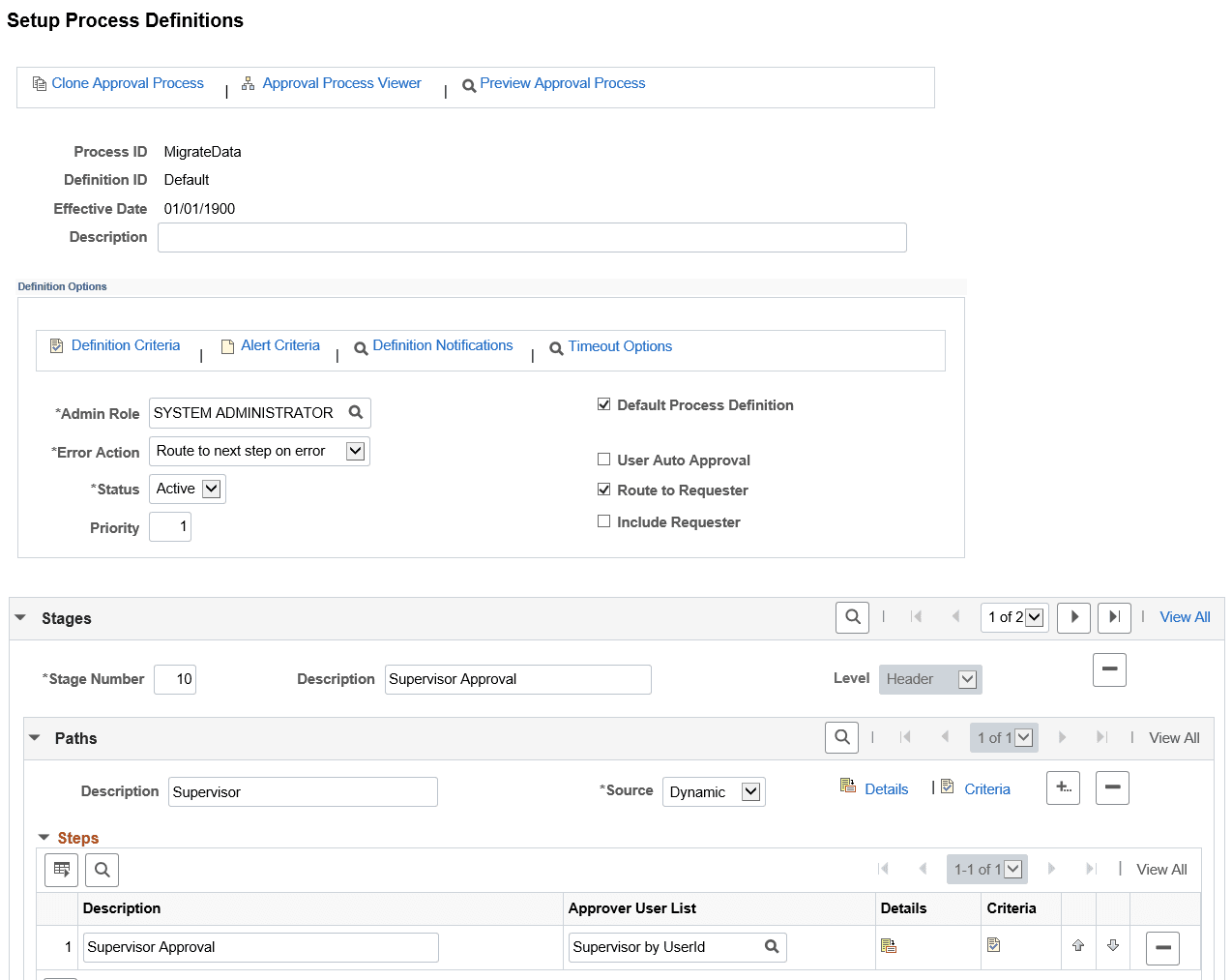
In the Definition Options section, the process definition needs to be set to Active.
In this example the approval process contains two stages – Supervisor and Copy Scheduler. Each stage has one path and one step. The first stage requires supervisor approval before the ADS project can be routed to the Copy Scheduler. When the copy scheduler approves the request (final approval), the ADS project will be scheduled for copy in the Process Scheduler.
You can define multiple stages, paths, and steps for an approval process definition. For example, perhaps you require administrator approval for the copy request. In this case, you would create an additional path within the existing stage that contains one step requiring administrator approval.
The Approval Framework processes multiple stages and steps sequentially. The engine cannot advance to the next step until you complete the preceding step in the given path. Likewise, the engine cannot advance to the next stage until you complete all paths within a given stage. For paths, however, you can define them as static (processed sequential) or dynamic (processed in parallel).
Criteria
By default, the criteria will be Always True, which means if the process definition for MigrateData is active, Approval Framework will always be invoked.
You can add logic that the Approval Framework evaluates at runtime for a Boolean result. You can define criteria at the definition, path, or step level. To set up criteria, click the Definition Criteria link at the top of the Setup Process Definitions page for the definition, for path and step criteria, click the associated criteria icon for that path or step.
This example illustrates the fields and controls on the Criteria Definition page.
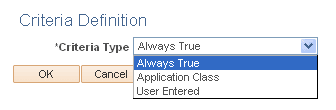
Refer to the Approval Framework PeopleBook, Setting Up Approval Framework Process Definitions, Defining Criteria for Approval Framework Processes for details on how to define the criteria.