Working With Composite Report Output
Generate a composite report.
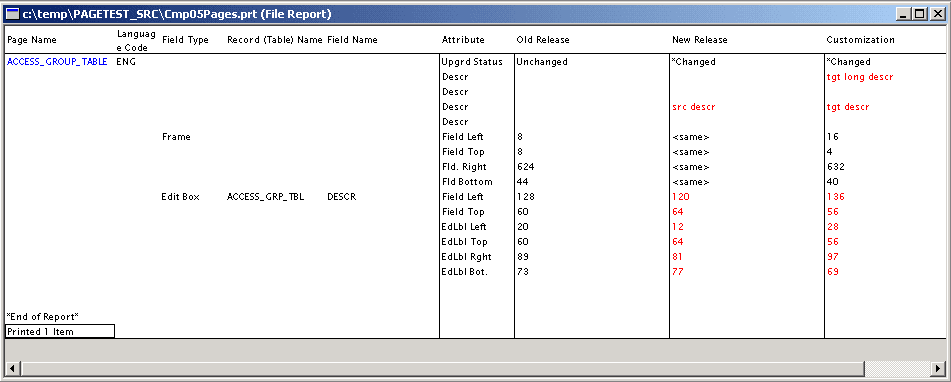
The following is a screenshot of Working with Composite Report sample output. You can find definitions for the fields and controls later on this page.
| Field or Control | Description |
|---|---|
|
Old Release |
Previous release source data value. In a PeopleSoft upgrade, this is the source value from the DEMO database in the previous release. |
|
New Release |
New release source data value. In a PeopleSoft upgrade, this is the source value from the DEMO database in the new release, which reflects the modification performed by PeopleSoft development teams. If no modification has been made by PeopleSoft for a particular attribute, the value "<same>" appears in the New Release column. Note: Changes represented here are not necessarily performed by PeopleSoft. If the compare reports were ran against your development environment, the modification was made in-house, not by PeopleSoft. |
|
Customization |
New release's copy of the production target value. In a PeopleSoft upgrade, this is the target value from the copy of the production database against which all upgrade scripts have been run. |