Defining the Third-Party Flag
Access the Third Party Flag page using the following navigation path:
This example illustrates the fields and controls on the Third-Party Flag page.
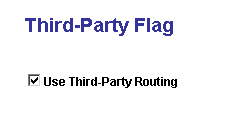
The default value of the third-party flag is False. If the flag is set to False, the queue server routes chat, generic, and email and uses PeopleSoft CTI to route voice. If the flag is set to True, all events, chat, generic, email, and voice are routed by the third-party routing system, and you can configure MCF using third-party pages only. The queue server:
-
Stops listening to all routing requests.
-
Starts up new listeners for overflow and escalation.
Separate database tables are created for queue server and third-party routing server that combine all fields from MCF and CTI. When the third-party flag is set to True, all pages using queue server are disabled and grayed out. When the third-party flag is set to False, all pages using third-party routing system are disabled and grayed out.
Note:
Whenever you change the value of this flag, you must reboot the queue server and MCF Log server.