Specifying Agent-Specific URLs
This page defines URLs that this agent can send to a client browser. Access the URL page using the following navigation path:
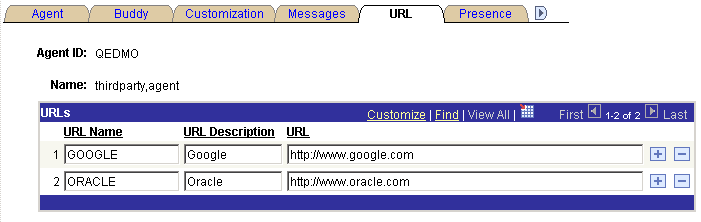
This example illustrates the fields and controls on the URL page. You can find definitions for the fields and controls later on this page.
| Field or Control | Description |
|---|---|
|
URL Name |
The URL name appears in the agent's URL drop-down list box. |
|
URL Description |
This description appears only on this page, to further describe this URL or, for example, its reason for inclusion. |
|
URL |
Enter the URL. The URL must include the protocol (http://) and any required parameters. All URLs defined for the agent are downloaded when the agent launches the agent chat console by accepting a customer chat. These URLs are not available in collaborative chat. If you send a PeopleSoft Pure Internet Architecture URL, be sure that the recipient has permissions to access that portal, node, or page. |