Specifying REN Server Ownership
Access the REN Server Cluster Owner page using the following navigation path:
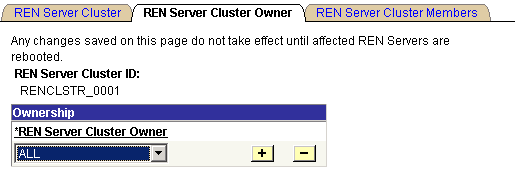
This example illustrates the fields and controls on the REN Server Cluster Owner page. You can find definitions for the fields and controls later on this page.
| Field or Control | Description |
|---|---|
|
REN Server Cluster Owner |
Select the owner of this REN server cluster from the drop-down list box. Select from the following values:
Specifying an owner for a REN server cluster limits client access to that cluster. This is useful to ensure performance under load. Specifying an owner for a REN server cluster also supports security. For example, an MCF cluster can be created only on a REN server cluster that is owned by MCF or ALL. |