Application Engine Example
You can also use PeopleCode in an Application Engine program to either write to or read from files. This example isn't a proper Application Engine program: it contains the PeopleCode only for opening and reading from a file. However, it's included here as starting point for your own Application Engine programs. Here is the Application Engine program:
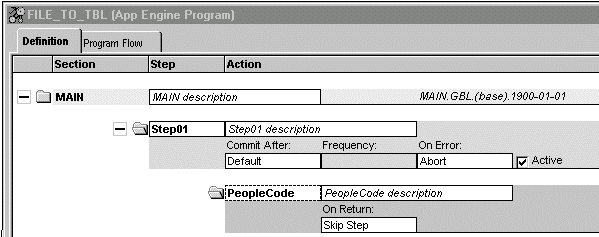
Here is the PeopleCode in the step 1.
Local File &FILE;
Local Record &REC;
Local Rowset &FRS;

&FILE = GetFile("TEST.txt", "R", "UTF8");
&REC = CreateRecord(Record.QEPC_FILE_REC);
&SQL = CreateSQL("%Insert(:1)");

If Not &FILE.IsOpen Then
   Error ("TEST: failed file open");
Else
   If Not &FILE.SetFileLayout(FileLayout.QEPC_FILE_REC) Then
      Error ("TEST: failed SetFilelayout");
   Else
      &FRS = &FILE.ReadRowset();
      While &FRS <> Null
         &FRS.GetRow(1).QEPC_FILE_REC.CopyFieldsTo(&REC);
         &SQL.execute(&REC);
         &FRS = &FILE.ReadRowset();
      End-While;
   End-If;
   &FILE.Close();
End-If;
The example Application Engine program reads the following CSV file:
"TEST2","1ST","01/01/1901",10
"TEST2","2ND","01/01/1902",20
"TEST2","3RD","01/01/1903",30
"TEST2","4TH","01/01/1904",40
Note that the last field has no qualifier.
The File Layout used to read this record has the following form:
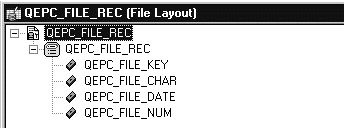
The properties for the QEPC_FILE_REC File Layout are as follows:
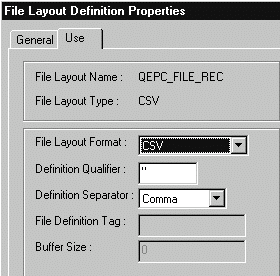
Note that the Definition Qualifier is double-quotes ("), while the separator is a comma.
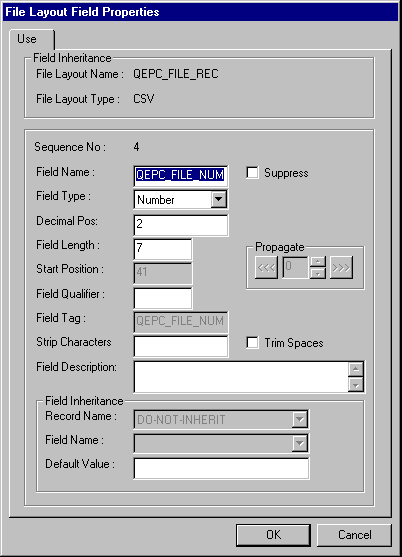
Remember, the last field didn't have a qualifier. To account for that, the field properties for this field must be edited, and a blank must be put in the Field Qualifier property.
The following image illustrates the way properties can be defined for the fields in the File layout.