Type property: StatusMeterGauge class
Description
Use this property to specify the visual representation of the gauge. You can specify either an Integer or constant value for this property.
The values are:
| Numeric Value | Constant Value | Description |
|---|---|---|
|
24 |
%GaugeType_StatusMeter_Horiz |
Display a horizontal status meter gauge: 
|
|
25 |
%GaugeType_StatusMeter_Vert |
Display a vertical status meter gauge: 
Note: %GaugeType_StatusMeter_Vert is the default value. |
|
34 |
%GaugeType_StatusMeter_Circ |
Display a circular status meter gauge: 
|
This property is read/write.
Example 1
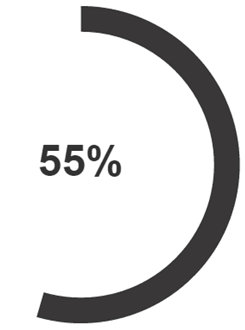
The following example demonstrates creating a circular status meter gauge without a threshold:
In the following example, the status meter gauge is displayed horizontally.
Local StatusMeterGauge &oSM;

/* Instantiate a StatusMeterGauge object */
&oSM = GetStatusMeterGauge(QE_GAUGEMETRIC.QE_SM1);
&oSM.Type = %GaugeType_StatusMeter_Circ;

&oSM.GaugeMinimum = 1;
&oSM.GaugeMaximum = 100;
&oSM.IsDrillable = True;
&oSM.GaugeURL = "http://irs.gov";
&oSM.Width = 400;
&oSM.Height = 400;
&oSM.MetricLabelType = %Percent;

rem this property works for DVT gauge but not for JET gauge;
rem &oSM.MetricLabelPosition = %Label_None;
Example 2
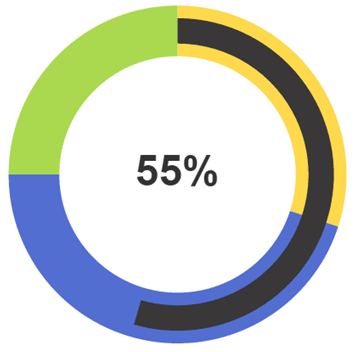
The following example demonstrates creating a circular status meter gauge with thresholds:
Declare Function get_gauge_thresholds PeopleCode FUNCLIB.THRESHOLDS FieldFormula;

Local StatusMeterGauge &oSM;

/* Instantiate a StatusMeterGauge object */
&oSM = GetStatusMeterGauge(QE_GAUGEMETRIC.QE_SM1);
&oSM.Type = %GaugeType_StatusMeter_Circ;

/* Set the gauge thresholds */
&oSM.SetThreshold(get_gauge_thresholds());

/* Set properties for the status meter gauge */
&oSM.GaugeMinimum = 1;
&oSM.GaugeMaximum = 100;
&oSM.IsDrillable = True;
&oSM.GaugeURL = "http://irs.gov";
&oSM.Width = 400;
&oSM.Height = 400;
&oSM.MetricLabelType = %Percent;
&oSM.MetricLabelPosition = %Label_On;

/* Function definition from FUNCLIB.THRESHOLDS */
Function get_gauge_thresholds() Returns Threshold;
   Local Threshold &oThr1;
   Local array of number &Values, &Colors;
   Local array of string &Descr;
   &oThr1 = GetThreshold();
   &oThr1.Id = 1;
   &Values = CreateArray(30, 75, 100);
   &Colors = CreateArray(17, 1, 14, 5, 6);
   &Descr = CreateArray("Low", "Med", "High");
   &oThr1.Values = &Values;
   &oThr1.Colors = &Colors;
   &oThr1.Descriptions = &Descr;
   Return &oThr1;
End-Function;