Using Organization Charts in the PeopleSoft Pure Internet Architecture
A PeopleSoft organization chart consists of two parts: the main hierarchical chart and pop-ups that enable the user to access additional related data for each node.
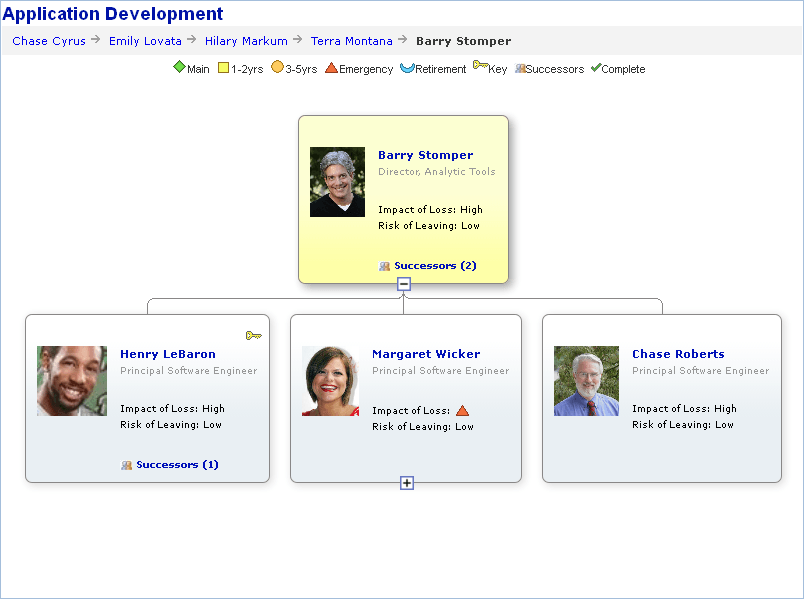
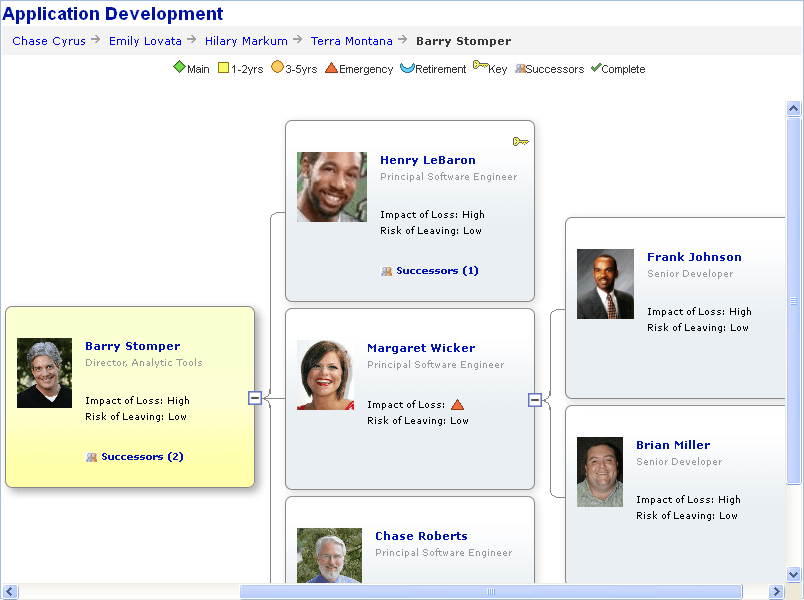
An organization chart can be oriented vertically or horizontally. Use the Direction property: OrgChart class to set the orientation of an organization chart.
The following example shows a vertically oriented organization chart:
The following example shows a horizontally oriented organization chart:
Main Chart
The main chart can have multiple levels. Each level consists of one or more nodes. Each node represents an individual entity, such as an employee, in the organization. A node has one parent node (except the top-level node, which does not have a parent node) and zero, one, or more child nodes. Each node in the main chart has up to 99 descriptors and each descriptor can be configured as a link or as a button associated with a drop-down list box. Application developers can associate FieldChange PeopleCode with each descriptor link or button associated with a linkable drop-down list box.
Pop-up Chart
A pop-up displays a pop-up chart with information specifically related to the node from which it was invoked. A connector line visually links the pop-up chart to the predecessor node, the node in the chart from which the pop-up was invoked.
If the pop-up contains more nodes than can be displayed (that is, if MaxPopupDisplayNode is set to a number that is less than the total number of nodes) then a scroll bar appears in the pop-up. In some circumstances when a pop-up has a scroll bar and has more than one level, when a user clicks a link on a level other than the top level the new pop-up may not appear in the display area. If this occurs, the user can scroll down using the scroll bar in the initial pop-up to view the new pop-up node.
Note:
The amount of time it takes for a pop-up to appear is proportional to the number of nodes in the pop-up. A pop-up with hundreds of nodes may take a long time to appear. An hourglass appears to let the use know the system is working to retrieve the nodes.
A pop-up is invoked through PeopleCode associated with the FieldChange event for a descriptor link on a main chart node or another pop-up node.
A pop-up consists of a header and one or more nodes with each node having up to eight descriptors. Each descriptor can be configured as a link.
The user can drag-and-drop a pop-up node to reposition it but the new position will not be retained after any action that requires a server trip that reloads the chart.