Creating SQL Definitions
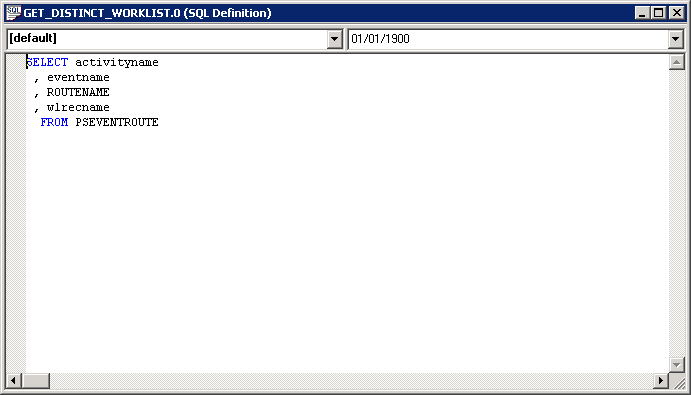
A SQL definition contains SQL statements, which can be entire SQL programs or just fragments that you want to reuse. You can access, create, change, or delete SQL definitions using Application Designer, or you can use the SQL class in PeopleCode. You can upgrade SQL definitions, and you can add them to a project. The following example shows a SQL definition:
This example illustrates a SQL definition with an effective date.
To create a SQL definition:
-
From Application Designer, select File, New, SQL.
-
Specify the database type to associate with the SQL definition.
You can associate more than one database type with a single SQL definition. In PeopleCode, you can specify the appropriate database type for the program. However, at least one of the SQL statements must be of type Default.
-
(Optional) Specify an effective date.
To specify an effective date with your SQL definition:
-
Access the object properties by selecting File, Object Properties.
Alternatively, select the SQL definition, right-click it, and then select Object Properties, or press ALT + ENTER.
-
Click the Advanced tab, and then select the Show Effective Date check box.
When you click OK, the SQL definition shows a date in the right-hand drop-down menu.
-
-
Enter the SQL code.
You do not need to format your code. The SQL Editor validates and formats it when you save the SQL definition.