Understanding the PeopleCode Editor Window
Application Designer supplies an independent editor window for each parent definition, such as a record, component interface, or an analytic model, for which you invoke the editor. The editor window’s title bar displays the name and type of the parent definition, as shown in the following illustration:
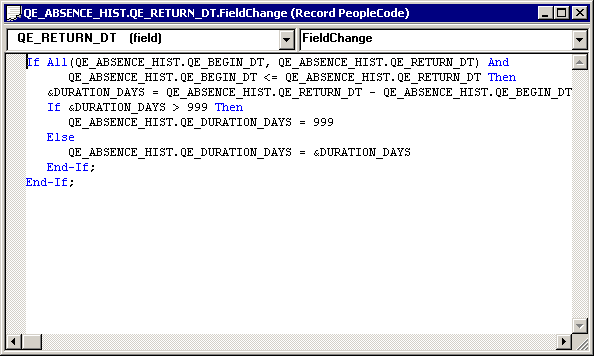
The editor window contains the main edit pane, the drop-down definition list at the upper-left, and the drop-down event list at the upper-right. The drop-down lists enable you to navigate directly to the PeopleCode associated with related child definitions, for example, fields within a record and their event sets.
Note:
When you make a selection from either drop-down list box, your selected entry has a yellow background, indicating that you must click the edit pane before you can start typing.
You can open as many editor windows as you want and resize them in Application Designer. Each line of code wraps automatically based on the window’s current width. A vertical scroll bar appears if the program has more lines than the editor can display in the edit pane.
Note:
You cannot open two editor windows for a single parent definition, or for any two of its child definitions.