Verifying PeopleSoft Roles for All Installations
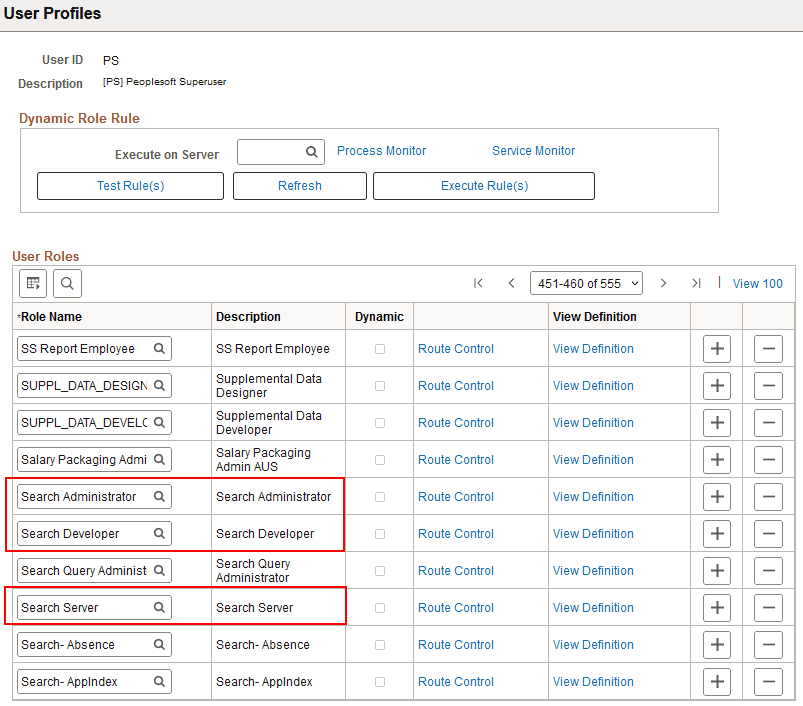
The user who will set up the OpenSearch integration must have the Search Administration, Search Developer, Search Server and ACM Administration roles.
If not, the Security Administrator should add the roles as follows:
-
Sign in to the PeopleSoft application in a browser.
-
Select PeopleTools, then Security, then User Profiles, and then User Profiles.
-
Select a User ID.
-
On the User Profiles page, select the Roles tab.
-
Verify that the roles are present, or add them if necessary.
This example shows the Roles list with Search Administrator, Search Developer, and Search Server. The fourth required role, ACM Administration, is not shown here.
Figure 4-1 User Profiles page, Roles