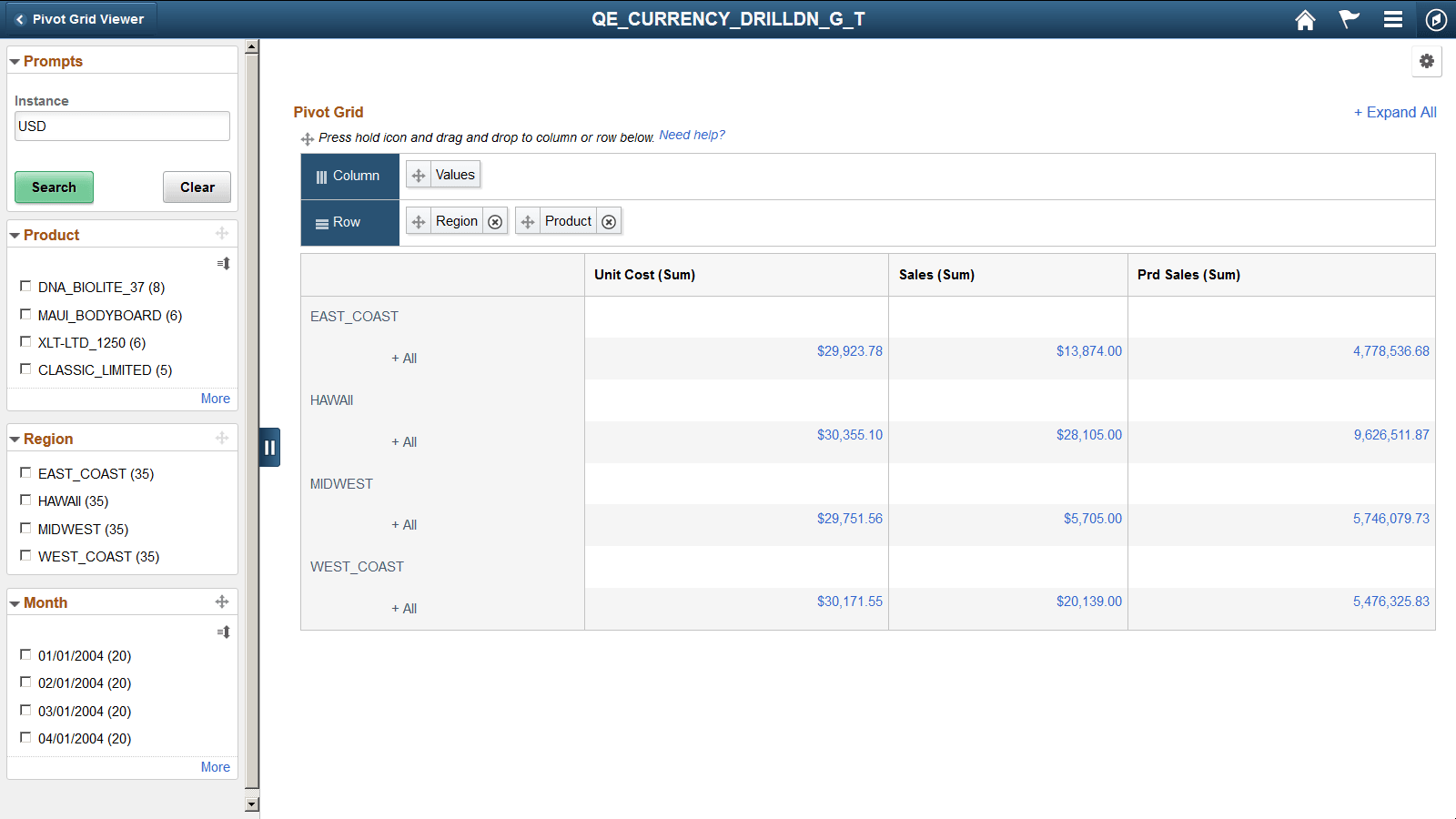
Dragging Filters to Column or Row Regions
The filters in the left panel of the fluid view can be dragged onto the regions that are marked with Column and Row labels. You cannot perform drag-and-drop on the filters that include a disabled Drag icon.
In this example, you cannot drag-and-drop the Product and Region filters because these filters include the disabled Drag icons, but you can drag-and-drop the Month filter because its Drag icon is active.