Sorting in Detailed View
In addition to sorting the string data type in the Detailed View, you can sort data for all the fields which are assigned different field types, such as numbers, dates, and so on.
In the fluid view, you can specify the type (number, date, and so on) of fields at runtime and then perform the sorting.
Note:
Sorting is not available for formatted fields Currency/Number and Date/Date Time.
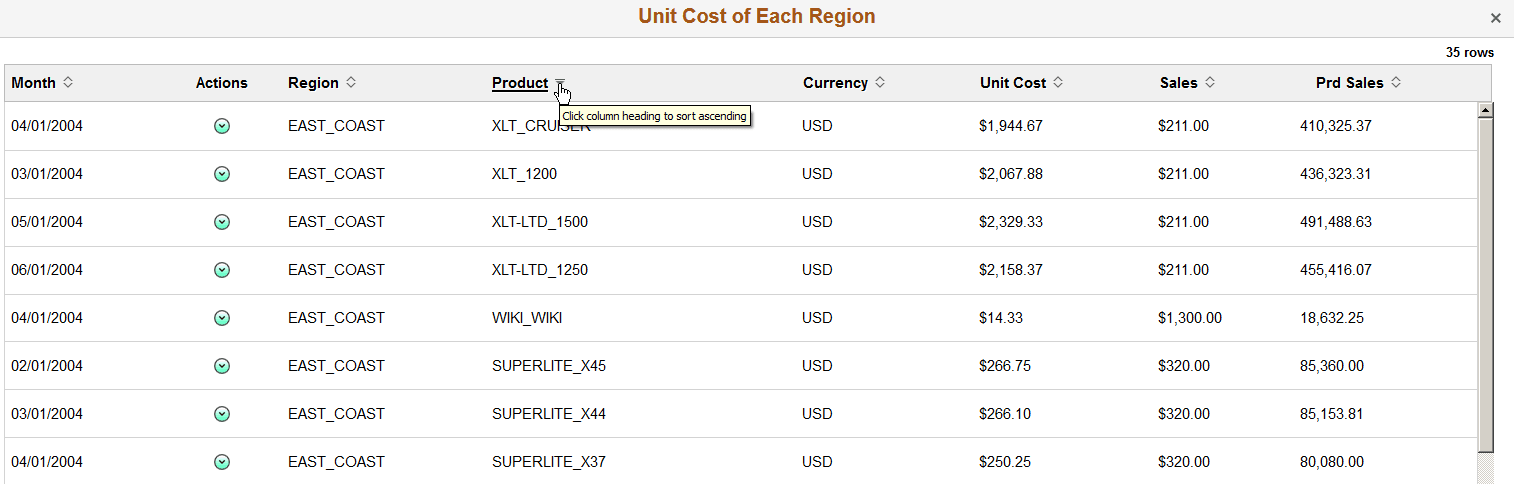
This example illustrates the Detailed View in the fluid view. Data is sorted according to the first column by default. You can click the column titles or the sort icons next to the column titles to sort data in ascending or descending order.
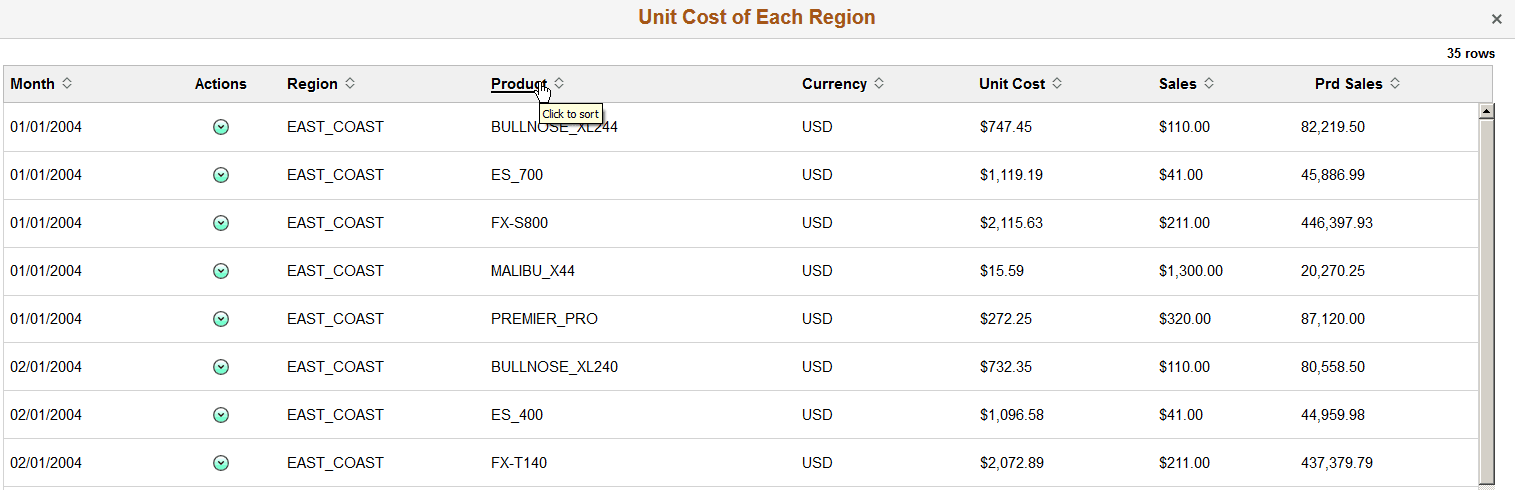
This example illustrates the Detailed View in the fluid view. Data is sorted according to the Product column in ascending order. You can click the Product column title or the sort icon next to the Product title to sort data in descending order.
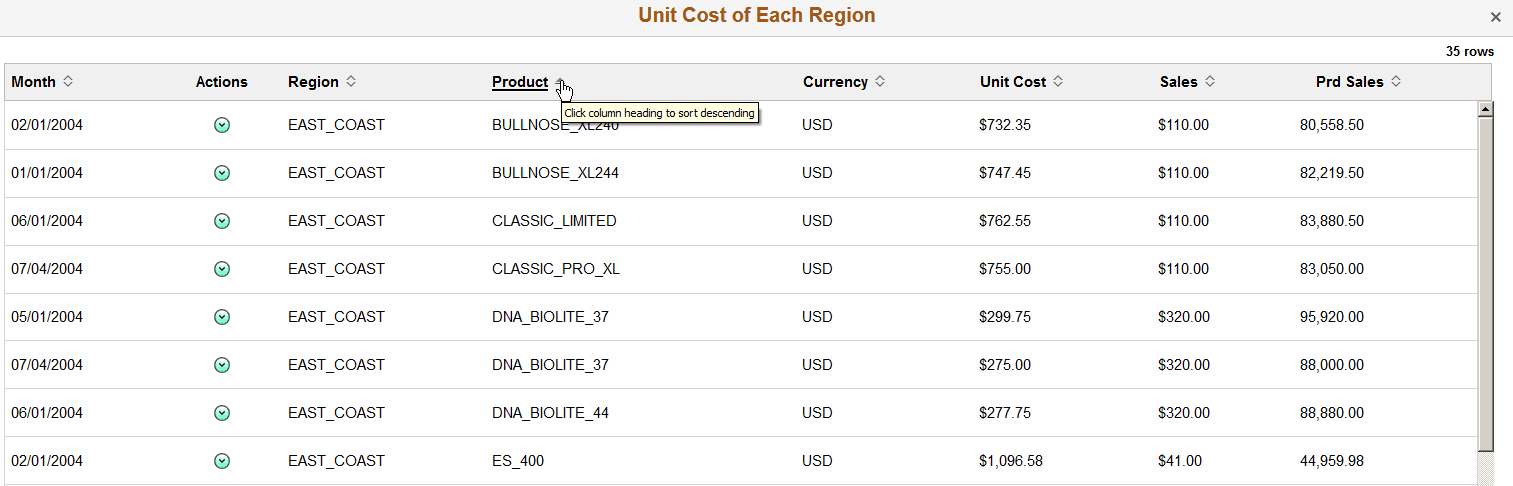
This example illustrates the Detailed View in the fluid view. Data is sorted based on the Product column in descending order. You can click the Product column title or the sort icon next to the Product title to sort data in ascending order.