Modifying Pagelet Attributes and Security
Access the Content Ref Administration page. (Select Click the Edit link for a content reference.)
This example illustrates the fields and controls on the Content Ref Administration page for a pagelet.
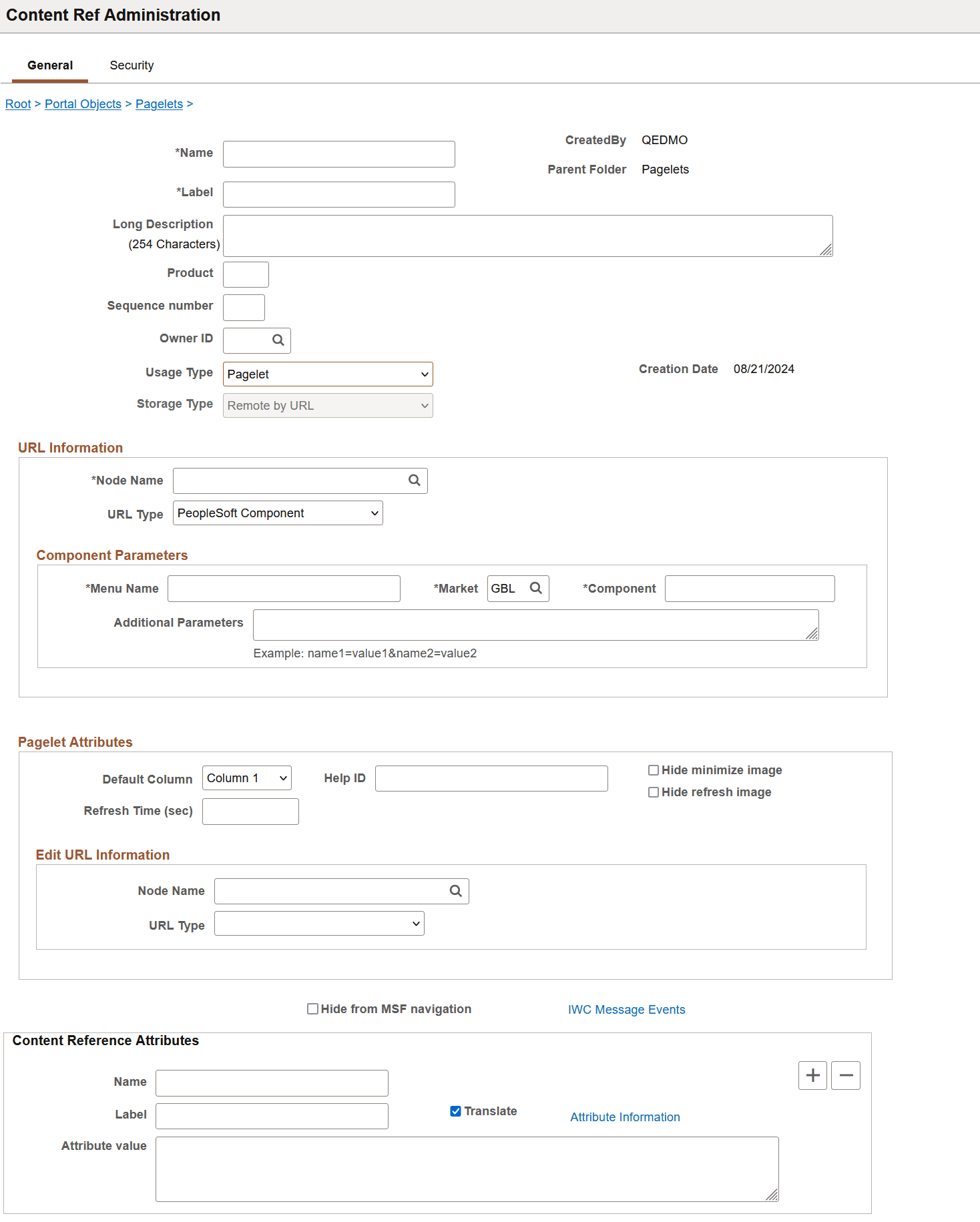
The portal registry stores every content reference that is available through the portal. The label and description defined here affect the appearance of the label and description in the navigation menu. Other attributes on this page affect the URL that will be used to reference the content associated with a definition.
See Understanding Portal Administration.
Access the Content Reference Security page. (Select Click the Edit link for a content reference. Select the Security tab.)
This example illustrates the fields and controls on the Content Reference Security page for a pagelet.
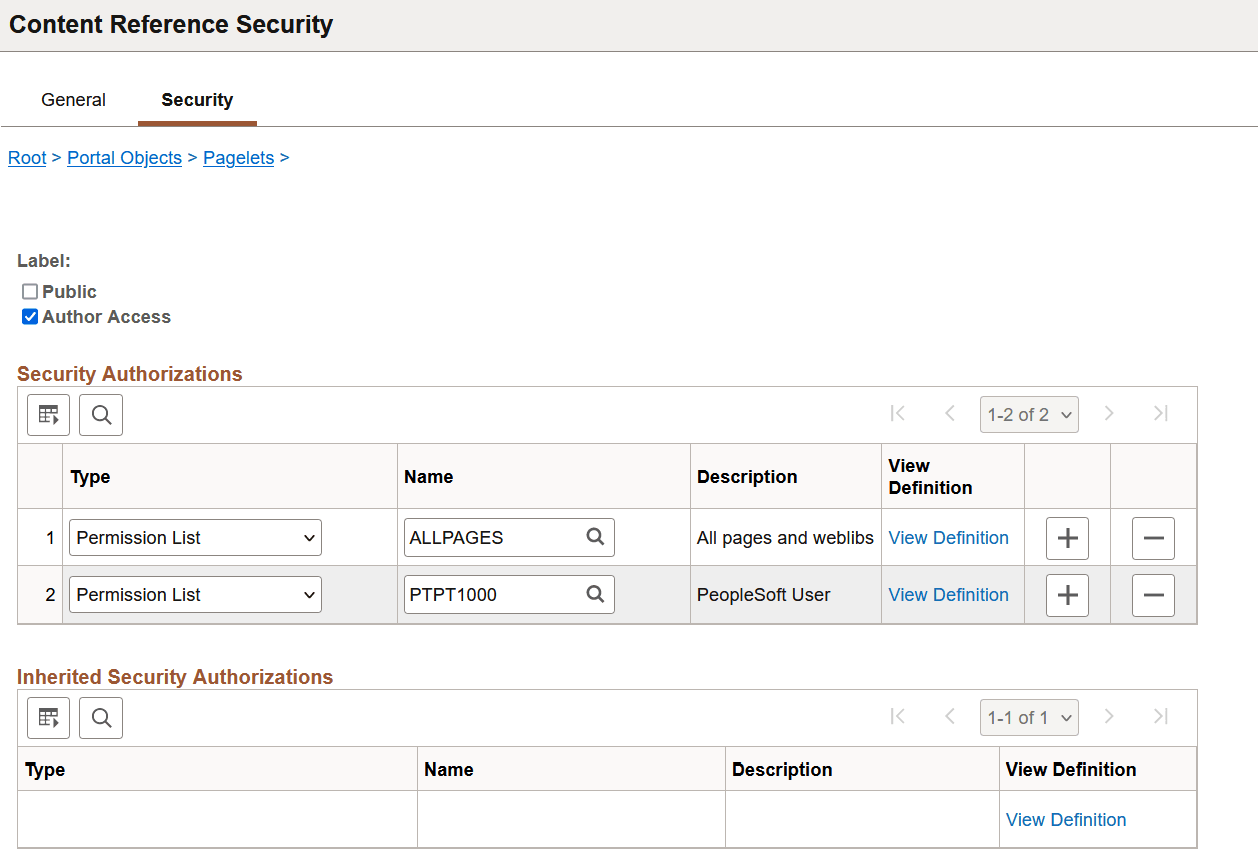
You can grant and review the permission lists and roles that provide access to homepage tabs and template pagelets on the Content Reference Security page. The page allows for any combination of permission lists and roles. You can also make the object publicly available or available to the author only, which can be useful for testing purposes. Permission lists and roles can be used to grant access to the content item associated with this definition.