Understanding Templates
Templates are stored in the HTML catalog and are edited through the portal administration pages. For the portal to process templates properly, they must be referenced in the Templates folder within the Portal Objects folder. Storing templates in the HTML catalog enables them to be upgraded like other objects.
Templates are stored in the HTML catalog according to the following naming convention: Template names always begin with the literal PR_. Here's an example name: PR_PORTALNAME_CONTENT REFERENCE ID
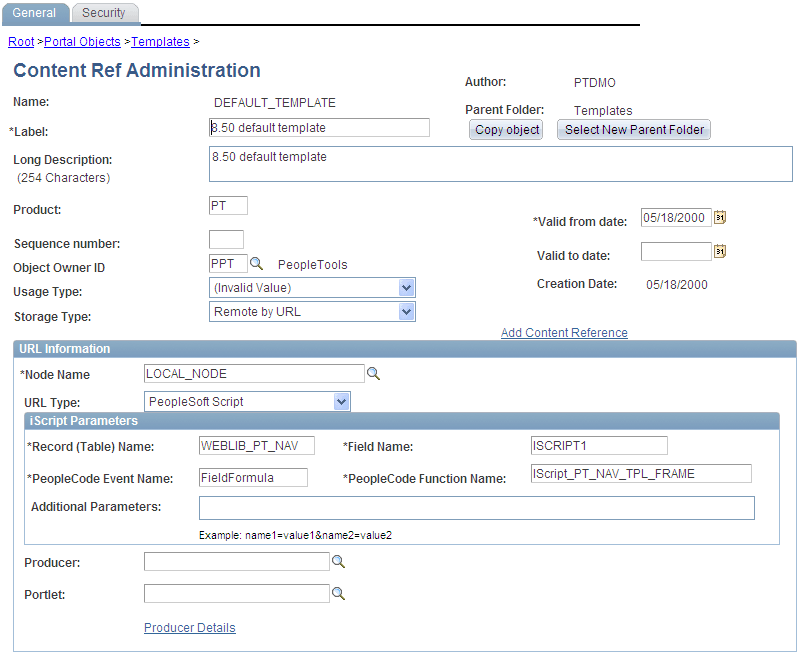
This example illustrates a content reference definition for a portal template:
Templates can be larger than the maximum size permitted by the HTML catalog. Such templates are automatically divided into several files in the HTML catalog. In this case, a letter is appended to each HTML object that makes up the template, as shown here:
PR_EMPLOYEE_123456789_A
PR_EMPLOYEE_123456789_B
Related Topics