Defining Batch Timings
To access the Batch Timings page, select
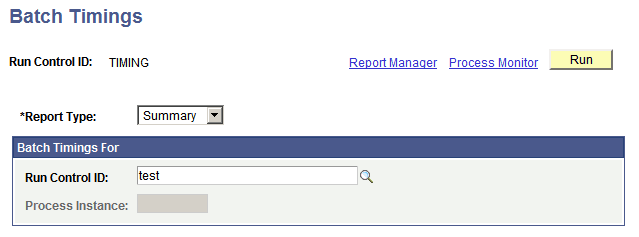
This example illustrates the fields and controls on the Batch Timings page. You can find definitions for the fields and controls later on this page.
| Field or Control | Description |
|---|---|
|
Run Control ID |
Displays the run control ID that is used to run the Batch Timings report. |
|
Report Type |
Select the type of report that you want to generate, based on the data that is stored in the batch timings table. Summary: Provides a report of all of the runs that are initiated by a run control ID. The Process Instance field is unavailable when this option is selected. Detail: Provides a report of a specific run or process instance of an application engine program. The Run Control ID field is unavailable when this option is selected. |
Batch Timings For
Based on the report type that you selected, enter the run control ID or process instance.