Viewing a Hierarchical View of Folders and Reports
To access the Report Manager - Explorer page, select You can also access this page from a link on the System Process Request page.
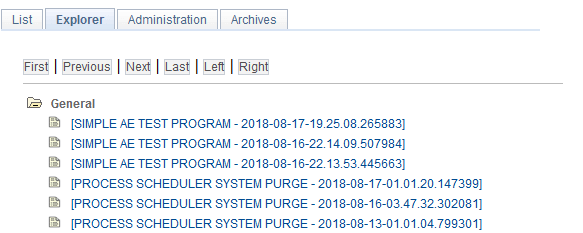
This example illustrates the fields and controls on the Report Manager - Explorer page.
| Field or Control | Description |
|---|---|
|
|
Click to open a folder and view the contents. Click the folder again to close it. |
|
|
Click the Report Description link to display the Report Detail page. The File List group box lists the output file names and any associated log or message file names. Click the output file name, or associated log or message file name, to display the report or message log in another browser window. |


The Report Manager - Explorer page displays a hierarchical view of the same reports that are listed on the Report Manager - List page. Subfolders can be created only in PS/nVision for organizing nVision reports.
Note:
Empty folders are not included in the hierarchical view.
Related Topics