Customizing the Report Instance View
From the NVSUSER home page, you can pull in report instances from folders that you specify. You can then select reports from the list and open them without having to navigate through a file directory system. For example, if a series of report books were being run overnight and placed into a common file location, a manager could log in to the NVSUSER home page and all the reports would be pulled from the specified directories.
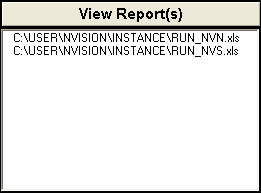
This is an example of the View Reports group box from the NVSUSER.xls home page.
To personalize the report instance view in the Configuration Manager:
-
Select
-
Select the Profile tab from the Configuration Manager dialog box.
-
Select the profile to change and click the Edit button.
-
Select the nVision tab in the Edit Profile dialog box.
-
Enter or navigate to the location of your report instance files.
You can have more than one folder listed, but they must be separated by semicolons. However, Microsoft Excel has a limit of 255 characters.