Setting Report Request Preferences
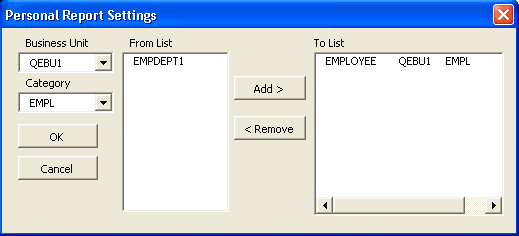
Use the Personal Report Settings dialog box to set report request preferences in PS/nVision.
This example illustrates the fields and controls on the Personal Report Settings dialog box.
To set report request preferences in PS/nVision:
-
Open PS/nVision and click the Report Preferences menu button on the NVSUSER.xls home page.
The Personal Report Settings dialog box appears.
-
Select an appropriate business unit.
-
Optionally, enter a new category or select an existing one.
-
Select the reports you want for that category, and click the Add or the Remove button.
-
Click the OK button.
The information is stored in the NVSReports tab of NVSUSER.xls.