Using the SpreadSheet API Sample Page
To access the SpreadSheet API Sample Page, select .
This example illustrates the fields and controls on the SpreadSheet API Sample Page. You can find definitions for the fields and controls later on this page.
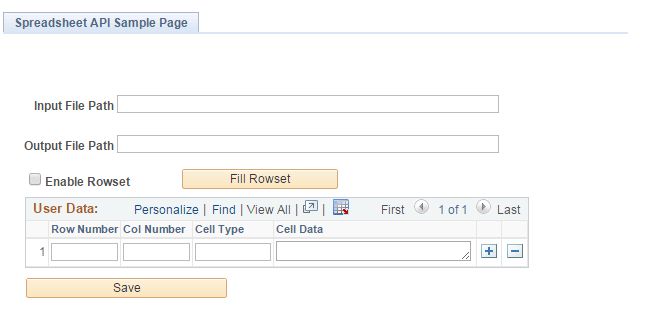
| Field or Control | Description |
|---|---|
|
Input Path |
Input path of existing template file. |
|
Output Path |
Output path where generated excel file is to be saved. |
|
Enable Rowset |
This field has two modes — enable and disable rowset. When the Enable Rowset check box is selected, the entire rowset data is saved as is to the output excel file in a single operation. When the Enable Rowset check box is deselected, only the cell data field within the rowset is saved to the output excel file in a single operation. |
|
Row Number |
Cell row number within the excel file. |
|
Col Number |
Cell column number within excel file. |
|
Cell Type |
Type of cell data (number, string, formula, date). Following are the defined values of this field:
|
|
Cell Data |
Cell data to be saved into the excel file. |
|
Save |
Invokes Spreadsheet APIs to generate and save the field data into the output excel file. |