Enabling the Query Access List Cache
An optional batch process is available for users who work with Query Manager and PS/nVision. The system can much more quickly retrieve the queries that match the designated search criteria if the query access list cache is enabled.
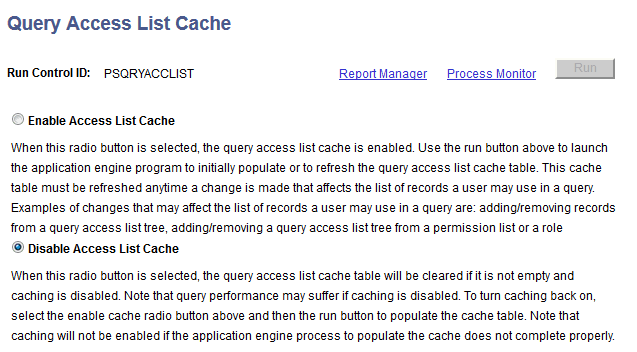
This example illustrates the fields and controls on the Query Access List Cache (RUN_QRYACCLIST) page.
To enable the query access list cache:
-
Select
-
Select the Enable Access List Cache option.
-
Click the Run button to run the process.
If the process does not finish, the cache will be disabled.
Note:
When the Enable Access List Cache option is selected and roles of a user profile or permission list of a role has been modified, which affect the Query Access List Cache, you must rerun the QRYACCLIST AE process to properly update the cache. Otherwise, the Query Access List Cache is not up-to-date and will be switched off automatically.
Rerun the process when changes have been made to Query Access Groups or Query Access Group settings on Roles or Permission Lists.