Using Query Access Control
Query Access Control enables administrators to restrict access to individual public queries by assigning authorized people, roles, or permission lists to a query definition. This feature adds a security layer for business cases where access to a specific query must be limited.
Query Access Control does not replace existing PeopleSoft Query security, and Query Access Group security, query security records, operator security, definition security, and data masking continue to be enforced. You must still have access to the underlying records used by the query through Query Access Group security before you can view or run the query.
Navigation:
PeopleTools>Utilities>Administration> Query Administration>Access Control.
When Query Access Control is enabled for a query, you can view or run the query only if your user ID, role, or permission list is assigned to the query access control list. If no access IDs are defined, the query behaves as it does currently, and existing query security determines access. Private queries are not affected and remain accessible only to the query owner.
Query Access Control applies in Query Manager, Query Viewer, Connected Query, Composite Query, and APIs that retrieve or execute queries. Queries that are not associated with you through Query Access Control do not appear in query search results; if you access a restricted query directly, such as through a saved URL or API call, the system displays an access error message.
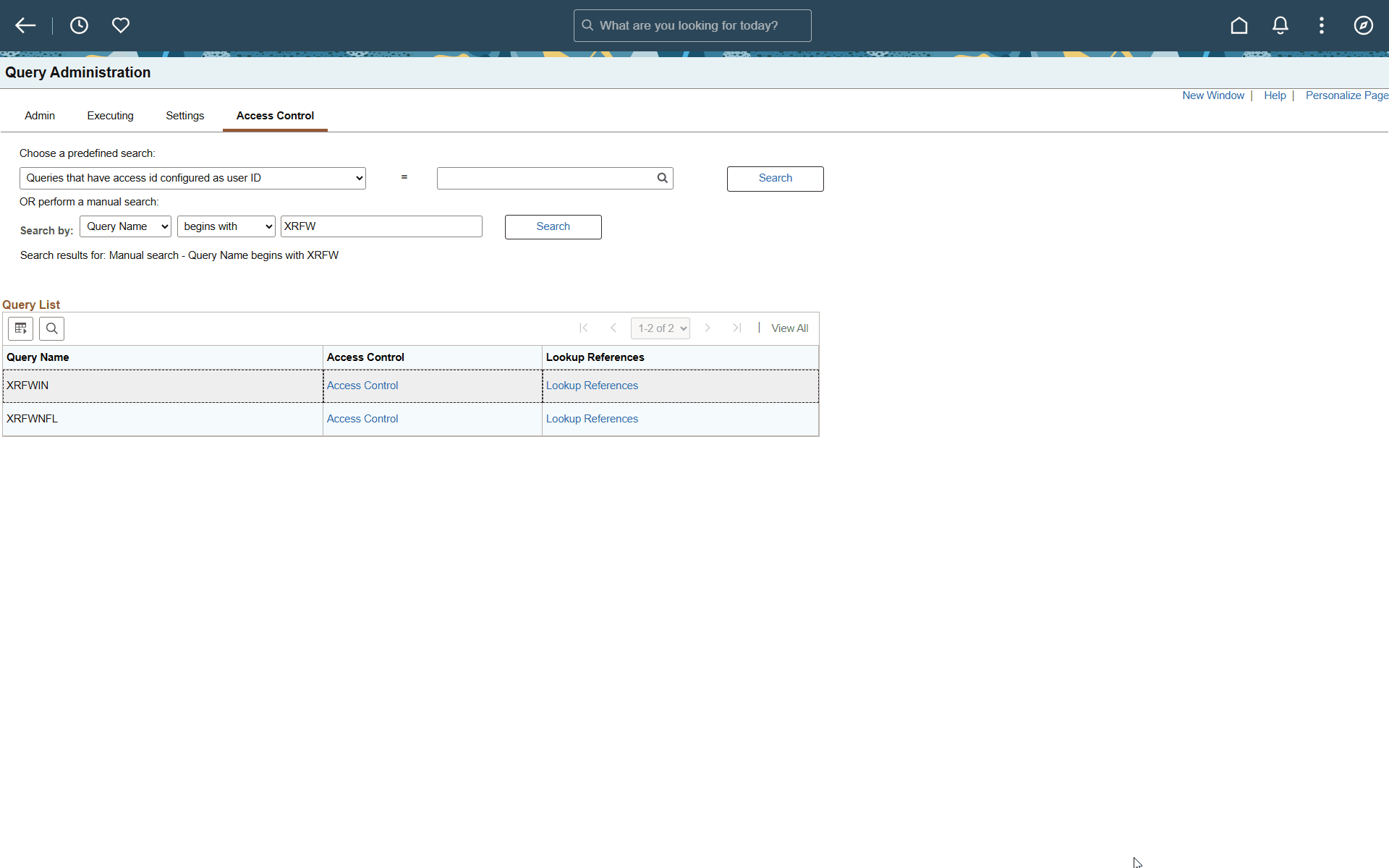
This example illustrates the fields and controls on the Access Control page. Definitions for the fields and controls appear following the example.
| Field or Control | Description |
|---|---|
|
Choose a predefined search |
Select a parameter for searching queries. The available options are:
|
|
Perform a manual search |
Search for queries manually using this option, in which you can search by query name or owner ID. |
|
Query Name |
Name of the query. |
|
Access Control |
Select this link to open the Query Access Control page. |
|
Lookup References |
Select this link to display the definitional references to a query. |
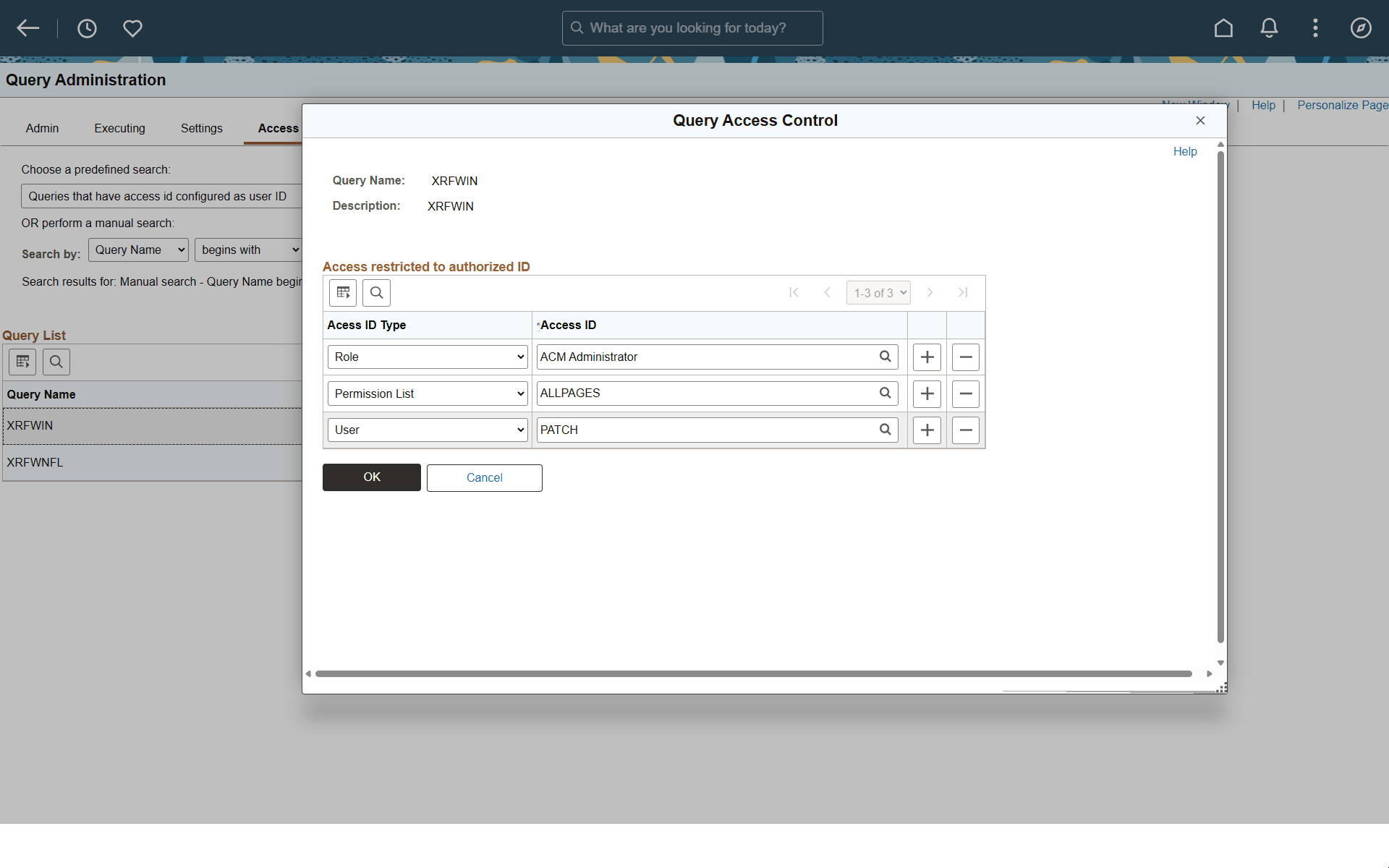
Use the Query Access Control page to assign access IDs to a query. Query Access Control lets a query administrator restrict access to an individual query by assigning one or more access IDs. You can assign access by user ID, permission list, or role. To access the page, select PeopleTools > Utilities > Administration > Query Administration, search for the query, and click the Access Control link.
This example illustrates the fields and controls on the Query Access Control page. Definitions for the fields and controls appear following the example.
| Field or Control | Description |
|---|---|
|
Query Name |
Displays the query for which you are defining access control. |
|
Access ID Type |
Select the type of access ID to assign to the query. Available values are User, Permission List, and Role. |
|
Access ID |
Enter or select the access ID value for the selected access ID type. An access ID identifies who can access the selected query. Use the lookup button to select a valid value. |
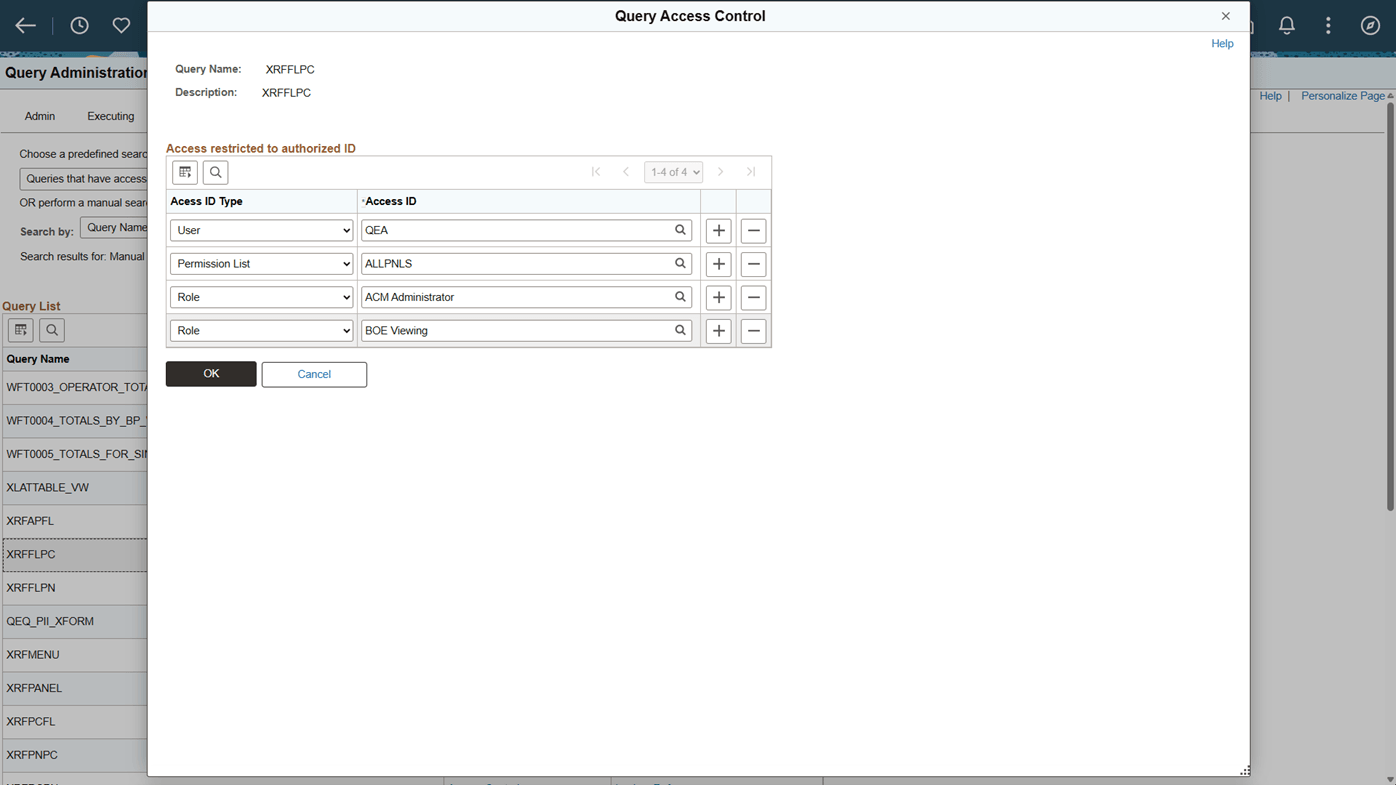
You can associate multiple access IDs with a query, including a specific user ID, one or more roles, or one or more permission lists.
This example illustrates Query Access Control page with multiple access IDs.
Query Access Control is an additional security layer that supplements existing PeopleSoft Query security. If no access IDs are defined for a query, the query behaves as it does currently, and you can view and run the query if you have the required Query Access Group security for the underlying records. When access IDs are defined for a query, you can view and run the query only if your user ID is explicitly assigned to the query or if you belong to a role or permission list that is assigned to the query. If you do not satisfy the Query Access Control criteria for the query, the system prevents access and displays an error message indicating that you are not authorized to access the query and should contact the query administrator for assistance.
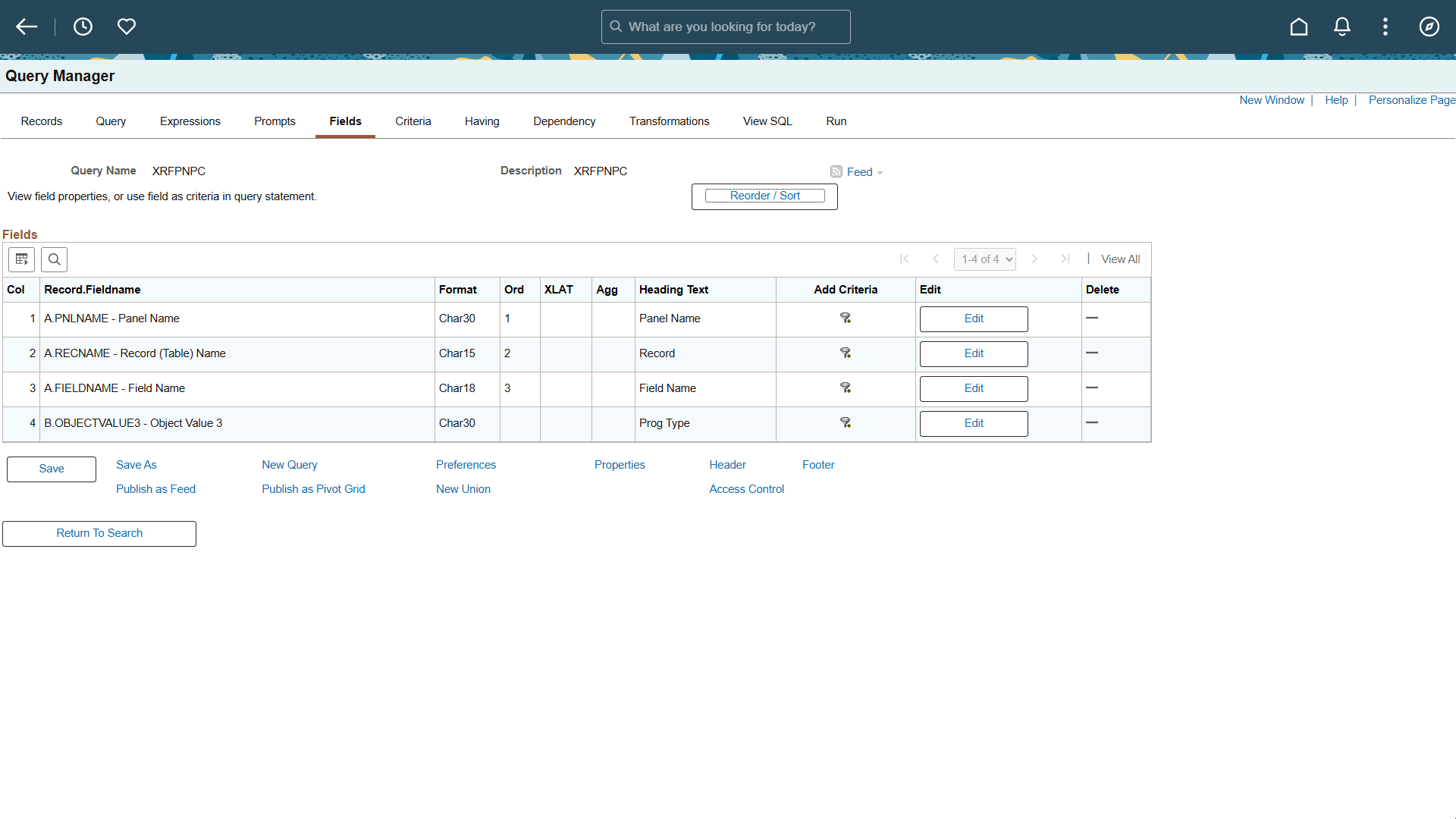
When you open a query in Query Manager, you can review the access IDs that are assigned to the query by clicking the Access Control link at the bottom of the page. The Query Access Control page displays all user IDs, roles, and permission lists that are authorized to access the query.
This example illustrates the fields and controls on the Query Manager page.