Deploying a Dashboard
In order to use the delivered dashboards, a user with the Search Administrator role should deploy the dashboard. When you deploy a dashboard, you are copying the dashboard from the PeopleSoft database to your instance of OpenSearch Dashboards. The deployed dashboard is then available on the Saved Objects page in the Management section (on the Insights (OpenSearch Dashboards) home page).
Note:
Before you deploy a dashboard, you must ensure that the prerequisites of installing and setting up PeopleTools, OpenSearch, and OpenSearch Dashboards are completed. Also you must ensure that the required search definitions are deployed and indexed successfully because a visualization in OpenSearch Dashboards is based on the indexes in OpenSearch.
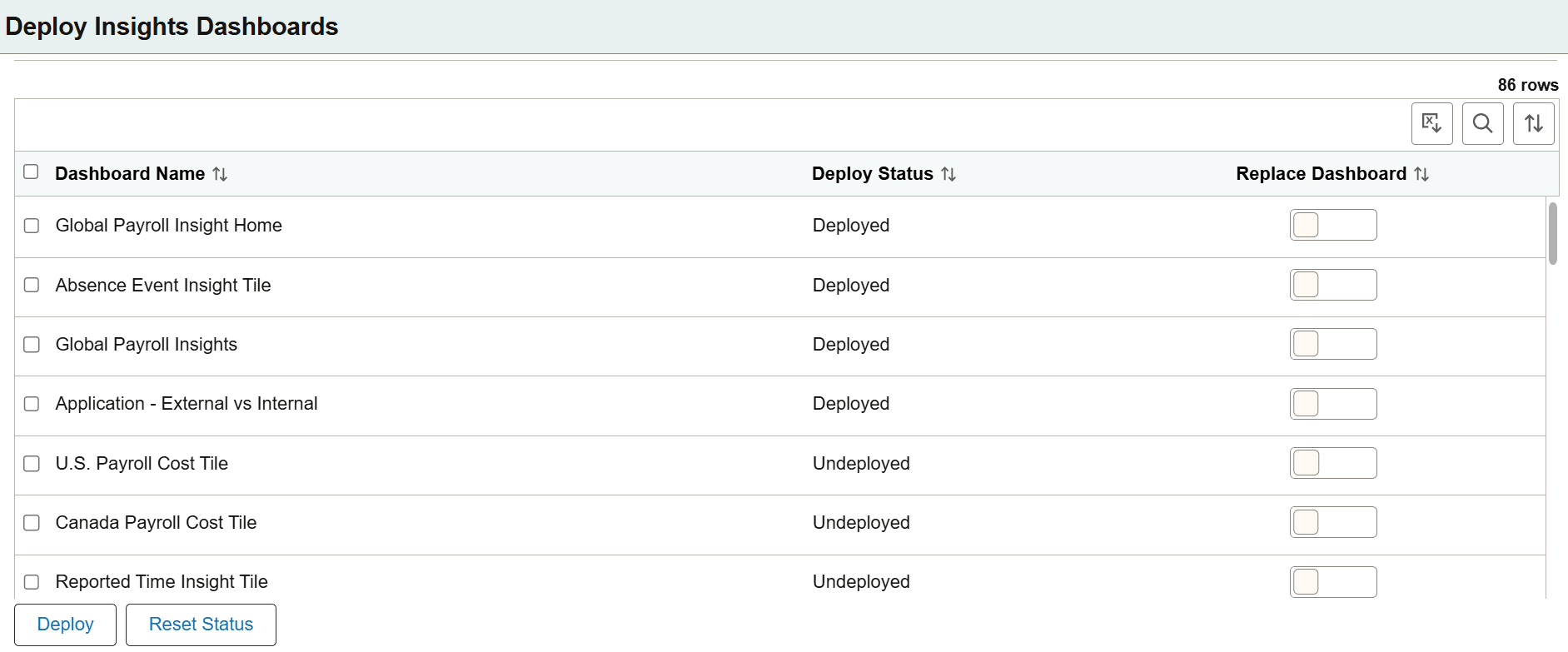
Use the Deploy Insights Dashboards page to deploy or update a dashboard.
Access the Deploy Insights Dashboards page by selecting .
This example illustrates the fields and controls on the Deploy Insights Dashboards. You can find definitions for the fields and controls later on this page.
| Field or Control | Description |
|---|---|
|
Dashboard Name |
The delivered dashboards are listed on the Deploy Insights Dashboards page. |
|
Deploy Status |
Displays the status of the dashboard, that is, as deployed or undeployed. |
|
Replace Dashboard |
If you modify a dashboard after it has been imported to PeopleSoft, use the Replace Dashboard button to overwrite the dashboard that already exists in OpenSearch Dashboards server. When you enable this button, it copies the dashboard to the OpenSearch server and replaces the new dashboard in the target environment. By default, it is disabled. When you select a single dashboard and the Replace Dashboard button is not enabled, a popup appears with the option to replace the dashboard. When you replace multiple dashboards in the OpenSearch Dashboards server, select the Replace Dashboard button for each dashboard that you want to overwrite before you select the Deploy button. |
|
Deploy |
Deploys the dashboard to your instance of OpenSearch Dashboards. You use the deploy option in these scenarios:
|
|
Reset Status |
Reset Status button resets the dashboard status from Deployed to Undeployed. The default dashboard status is Undeployed. The dashboard remains in OpenSearch Dashboards after a reset. |