Generating Reports
Search Framework enables you to generate PNG, PDF, and CSV reports.
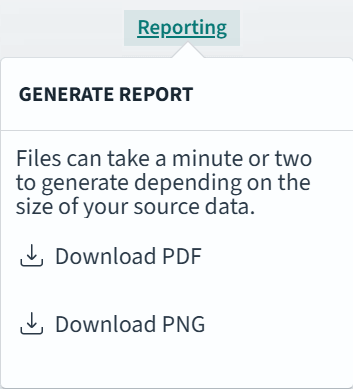
When a dashboard displays in full view in PeopleSoft, the Reporting link enables you to download PNG and PDF reports.
Note:
Depending on the size, reports may take a few minutes to generate asynchronously in the background. A notification displays when your report is ready to download.
This example illustrates the options for generating reports.
If you’re creating a report from the Discover page, choose Generate CSV. To know more about generating reports, refer to the OpenSearch Dashboards documentation [3.2.0], which is available on www.opensearch.org.
Important:
CSV reports have a non-configurable 10,000 row limit. They have no explicit size limit (for example, MB), but extremely large documents could cause report generation to fail with an out of memory error from the V8 JavaScript engine.