Creating a Cache of the Directory Schema
Access the Cache Schema page (select ).
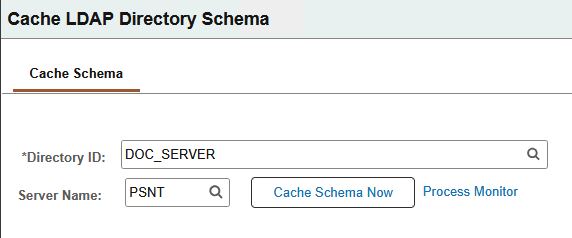
This example illustrates the ields and controls on the Cache LDAP Directory Schema page.
| Field or Control | Description |
|---|---|
|
Directory ID |
Select the directory ID to identify the directory that the system should connect to and retrieve schema information from. |
|
Server Name |
Search for the Process Scheduler server on which the Cache Schema process should run. |
|
Cache Schema Now |
Click this button to cache the LDAP schema data to tables within the PeopleSoft database. Typically, you use this option during initial setup and any time that the schema has changed. |
|
Process Monitor |
After invoking the process, you can monitor the progress by clicking this link. |