Creating Hints for Forgotten Passwords
Use the Forgot My Password Hint page to define questions for users to answer as a means to authenticate themselves if they forget their password.
The security administrator sets up multiple questions, but users can only select one question to answer.
To access the Forgot My Password Hint page (PSPSWDHINT) select .
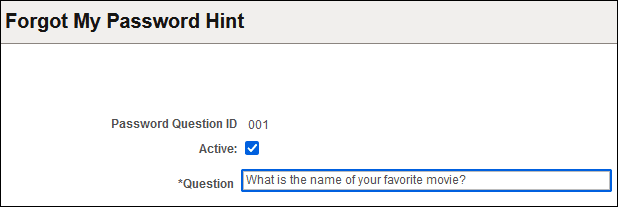
This example illustrates the fields and controls on the Forgot My Password Hint page.
With these hints set up, users can access the Forgot My Password page. If the user answers the question correctly, a new password is sent through the email system.
To create a forgotten password hint:
-
Click Add a New Value.
-
On the Add a New Value page, enter a three-character ID in the Password Hint ID field.
-
Click Add.
-
Select the Active check box.
-
In the Question field, enter the question to use as a password hint.
-
Click the Save button.