Reviewing the Setup Tasks
Access the Manage Setup Tasks page.
This example illustrates the fields and controls on the Manage Setup Tasks page, Summary tab. You can find definitions for the fields and controls later on this page.
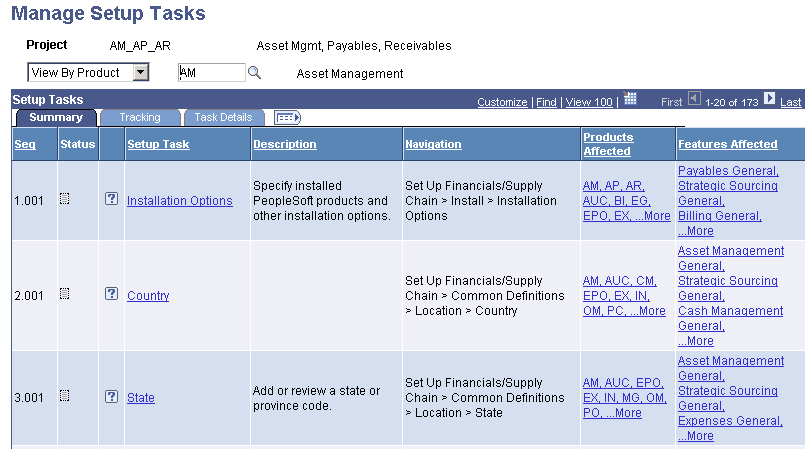
The summary shows the step-by-step sequenced list of setup tasks and reflects the order in which the setup components must be configured.
| Field or Control | Description |
|---|---|
|
Status |
Displays the status of the task. Move the cursor over the icon. Values are Not Started, In Progress, and Complete. |
|
Setup Task and Description |
Displays the task, in bold, that must be completed. The content of this field also contains the portal hover text, defined for the component associated with this setup task. This text provides you with information about the purpose of the task. |
|
Navigation |
Displays the portal navigation for the setup component-based tasks and navigation path to non-component-based setup tasks. |
|
Features Affected |
Displays the features that are associated with the task. |
|
Products Affected |
Displays the products that are associated with the task. |