Create TableSet Record Groups
Used to group record definitions for the tables that you want to share, as well as any dependent record definitions.
Select Search for and select a Record Group ID or enter a new value to access the Record Group page.
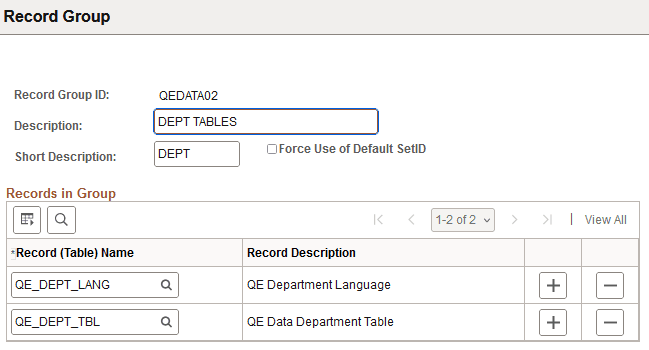
This example illustrates the fields and controls on the Record Group page. You can find definitions for the fields and controls later on this page.
| Field or Control | Description |
|---|---|
|
Description |
The Record Group ID description should provide enough information to encompass a category of related tables, not just the table that you are specifically sharing. |
|
Short Description |
Enter a short description. |
|
Force Use of Default SetID |
This overrides alternate setIDs that are entered so that the default is used. |
|
Record (Table) Name |
This prompt list comes from a SQL view of record definitions that are defined with that Set Control Field that aren't already associated with a record group. |
|
Record Description |
Automatically populated when the Record (Table) Name is selected. |