Managing Windows Services for PIA Domains
This section discusses:
-
Installing a Windows Service for a PIA Domain.
-
Uninstalling a Windows Service for a PIA Domain.
Installing a Windows Service for a PIA Domain
To install a Windows Service for starting a PIA domain, select 9) Windows Service Setup from the PeopleSoft PIA Domain Administration.
To install the Windows Service, select 1) Install Service from the Windows Service Setup menu.
---------------------
Windows Service Setup
---------------------

  PIA Home:   D:\PT_SERVER\8.61
  PIA Domain: psftpia: stopped

  1) Install Service
  2) Uninstall Service

  q) Quit

Command to execute: 1

Defining NT service for WebLogic admin server PIA
psftpia-PIA installed.
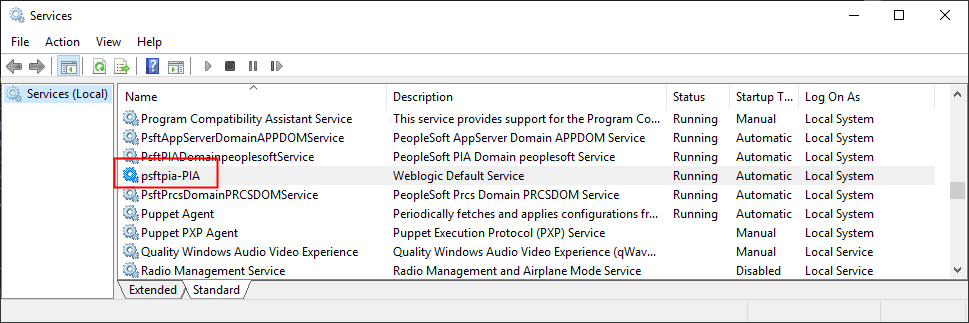
This example illustrates the Windows Services dialog box showing the installed service for PIA domain.
Uninstalling a Windows Service for a PIA Domain
To uninstall a Windows Service for starting a PIA domain, select 9) Windows Service Setup from the PeopleSoft PIA Domain Administration.
To uninstall the Windows Service, select 2) Uninstall Service from the Windows Service Setup menu.
---------------------
Windows Service Setup
---------------------

  PIA Home:   D:\PT_SERVER\8.61
  PIA Domain: psftpia: stopped

  1) Install Service
  2) Uninstall Service

  q) Quit

Command to execute: 2

psftpia-PIA stopped.
psftpia-PIA removed.