Configuring Local Options
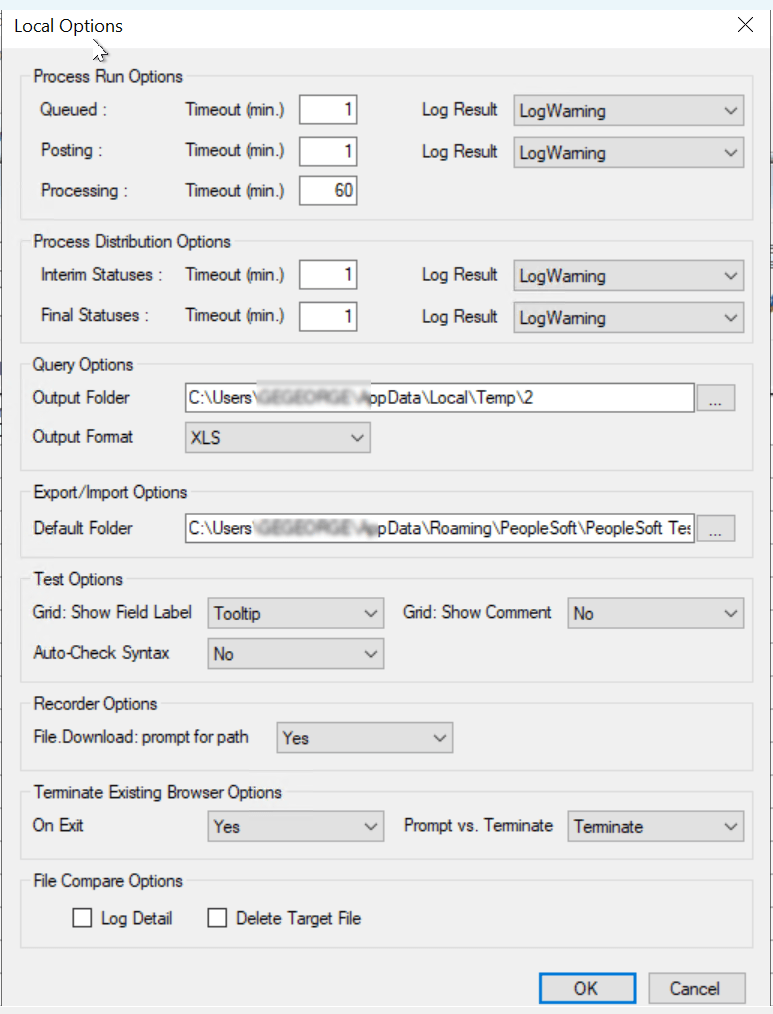
To configure local options, access the Local Options dialog box (from the PTF menu, select Local Options).
Local options are specific
to the machine on which the PTF client is installed. The local options
settings are stored in the localoptions.xml file in the PTF data directory
(C:\Documents and
Settings\<User>\Application Data\PeopleSoft\PeopleSoft Test Framework) by default.
Note:
Changes made to the local options settings will take affect the next time you start the PTF client, or after a PTF test suite refresh.
This example illustrates the fields and controls on the Local Options dialog box. You can find definitions for the fields and controls later on this page.