Exporting Test Cases
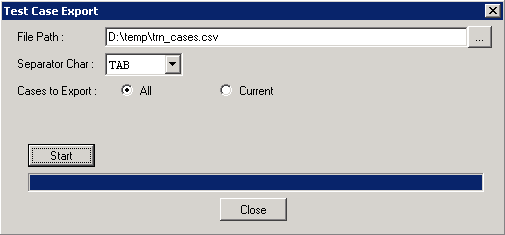
To export test cases:
-
With a test open, select Test, Export.
-
Specify a location for the file.
-
Select a separator character.
Note:
The default separator character is a comma, which is also the default separator used by spreadsheet programs. If any of the values in your test case contain commas, the value will be split into separate fields. If you have commas in your test case values, choose a different separator.
-
Specify whether to export one or all test cases.
-
Click Start.
The bar along the bottom of the dialog box denotes the progress of the export.
This example illustrates export using a tab delimiter for all test cases.