Understanding Log Manager
Over time, as you run tests, you will create a number of test logs. Because they reside in your application database, test logs, especially those containing many screen shots, can affect the storage demands on your database. PTF Log Manager enables you to minimize this demand and remove clutter from PTF Explorer.
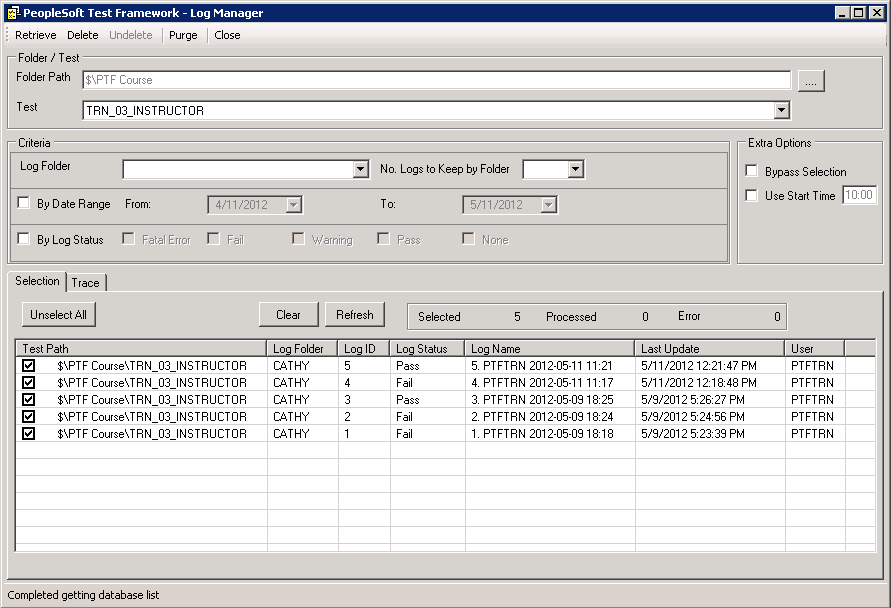
To help you decide which logs to remove from your database, Log Manager lists log entries from the test environment based on the criteria you specify. If all the fields are empty, then Log Manger lists all the logs in an environment that were created within the specified date range. The default date range is the current date.
To access the Log Manager, select .
Note:
Only an administrator (a user ID with the PTF Administrator role) is able to open Log Manager.
This example illustrates the fields and controls on the PTF Log Manager page. You can find definitions for the fields and controls later on this page.