Using Parameters with Library Tests
Parameters enable you to pass dynamic values from a calling test to a library test.
To use parameters:
-
Define the parameters in the library test.
-
Assign values to the parameters in the calling test.
-
Use the parameters as you would text strings in the library test.
To define parameters in a library test:
-
Select the Library Test check box in the Test Properties dialog box.
-
Enter the names of parameters in the Parameter List.
Parameter names can be up to 254 characters, and can contain only letters, numbers, and underscores.
-
Click OK to dismiss the dialog box.
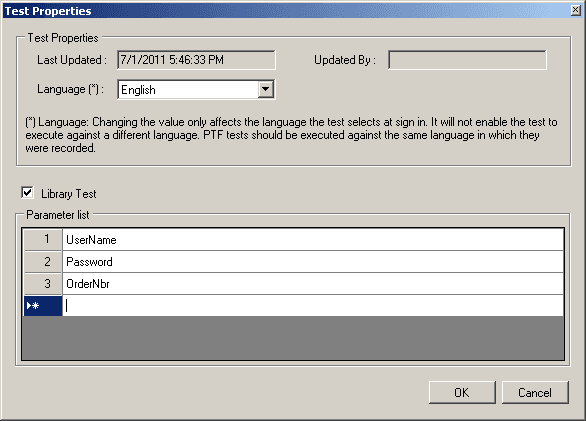
The following example shows a parameter list:
This example illustrates the fields and controls on the Test Properties dialog box with a parameter list.
In the calling test, place parameter assignments in Test.Exec steps in the Parameters field, separated by semicolons, with no spaces. You can place multiple parameter assignments, separated by semicolons. The last semicolon is optional.
Note:
The semicolons must not be followed by spaces.
The following example shows a Test.Exec step that calls a library test and passes three parameters.
This example illustrates a Test.Exec step with parameters.

In the library test, place a %param.parameter_name% construct wherever you want to use a parameter. The parameter is replaced at runtime by the text assigned in the calling test.
This example illustrates library test steps with parameters.

Note:
Parameters in library tests need to be assigned a value in the calling test, because variables are not automatically initialized. The parameters without a variable initialized use default PeopleSoft values on the page.
If the user makes a
call to the library without passing a value for the parameter, the
parameter value will be the parameter name. For example, if the parameter
is UserName and the value is not set, the value would be %param.UserName%, not blank.