Using the Selection Pane
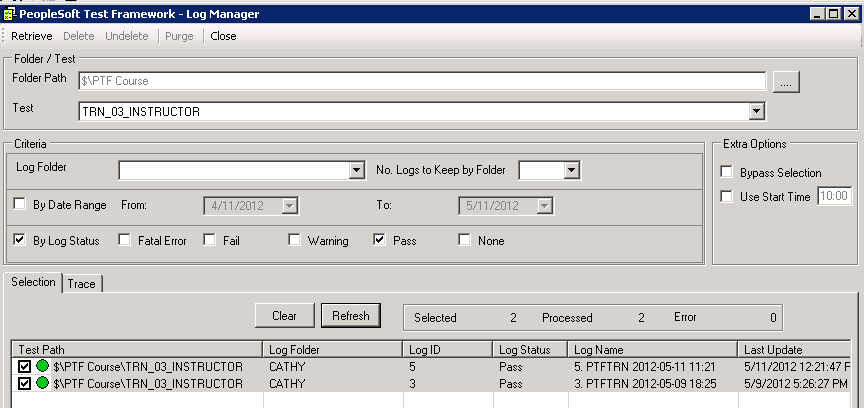
The selection pane displays the logs based on the selection criteria. By default all the logs are selected.
When you click Retrieve, the system populates this pane with logs based on the criteria you specified. Using the check boxes, select the logs that will be processed when you click Delete, Undelete, or Purge.
The selection pane contains a status bar that displays the number of logs selected, processed and errors, and the following buttons:
| Field or Control | Description |
|---|---|
|
Unselect All |
Click to deselect all logs. |
|
Clear |
Click to clear the selection list. |
|
Refresh |
Click to refresh the selection after changing the criteria. Note: The refresh is based on the new criteria only. If you change the folder path or test, you must use do a new retrieve. |
All of the columns in the selection section are resizable.
Example Purge
When you select logs in the selection pane and then select Purge from the toolbar, the selection pane status is updated and the focus is set on the log lines being processed.
This example illustrates PTF Log Manager after Purge.