Creating Tree Branches
To create a tree branch:
-
Select Tree Manager, Tree Manager.
-
Search for an existing tree in the Tree Manager page or create a new one.
-
Highlight the node that will be the root node of the branch.
-
Click the Create Branch icon.
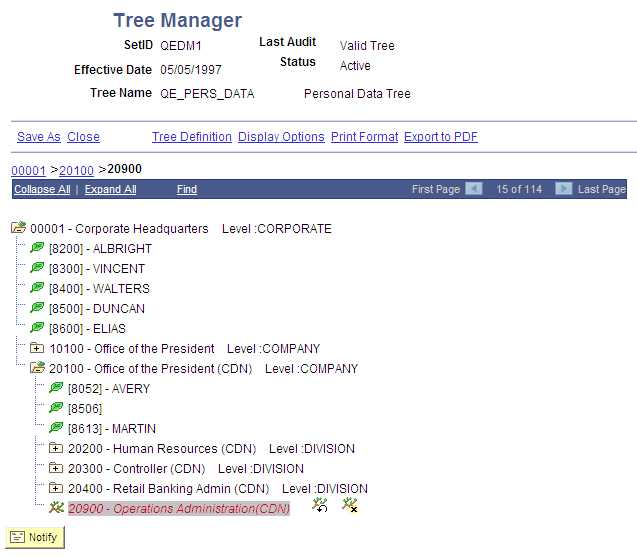
PeopleSoft Tree Manager replaces the node icon with a branch node icon. None of the nodes or detail values reporting to the branched node appears in the tree display.
This is an example of a branch node.